
Disclosure: This post contains affiliate links. We may earn a commission at no extra cost to you. We only recommend products we’ve tested and trust.
Comparison
 By Shamim Sarker, Editor-in-Chief · Hands-on tested: MacBook Air/Pro (M4) & multiple current-gen Windows ultrabooks
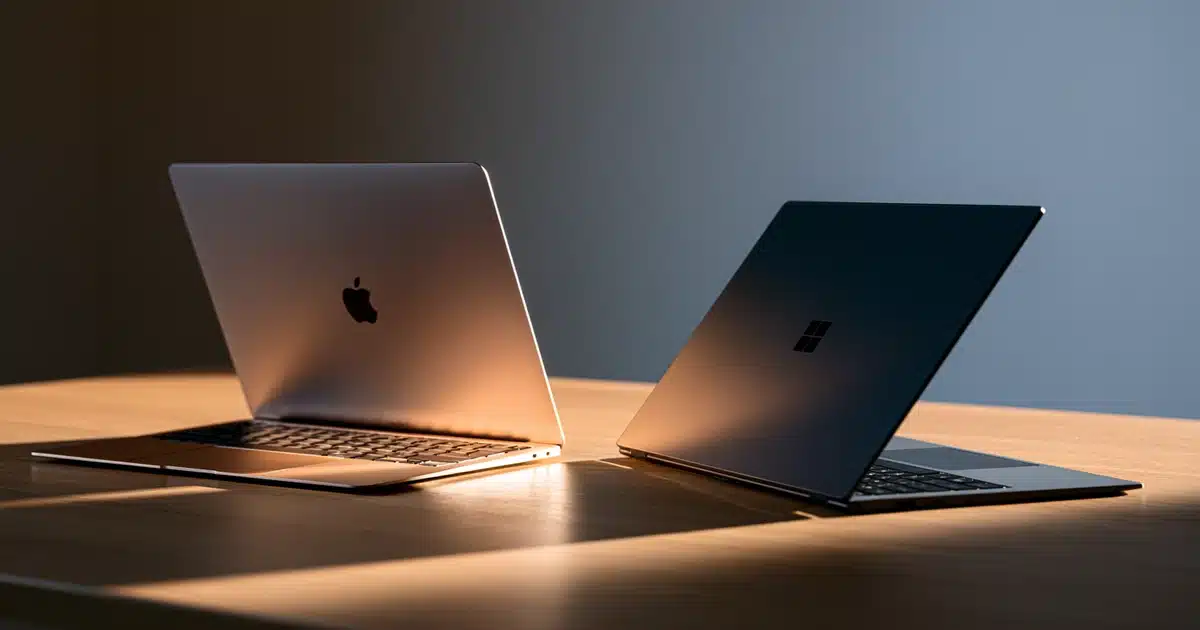
MacBook vs Windows laptop comes down to ecosystem, not just hardware. MacBooks run macOS on Apple Silicon and lead in battery life, simplicity, and resale value, while Windows laptops win on gaming, price flexibility, and software compatibility. The right pick depends on what you actually do with it day to day.
- MacBooks with Apple Silicon (M4) deliver 12–15+ hours of real-world battery life in mixed use vs. 8–10 hours for most Windows ultrabooks.
- Windows laptops win decisively for gaming — native AAA support on macOS is limited even with Apple’s Game Porting Toolkit.
- 16GB of unified memory on a MacBook isn’t equivalent to 16GB of RAM on Windows — Apple’s architecture uses memory more efficiently.
- MacBooks retain resale value significantly better than most Windows laptops, thanks to demand in the used market and longer software support.
- The MacBook Air competes directly with similarly priced Windows ultrabooks at entry level; the “Apple premium” grows mainly at higher price tiers.
MacBook (Apple Silicon)
Windows Laptop
Choose a Windows laptop if: you game regularly, need specialized Windows-only software, want the flexibility to upgrade or repair hardware, or want more choice at every budget.
You’ve got the budget set aside, you’ve narrowed your options down to a MacBook or a Windows laptop, and now you’re stuck staring at two browser tabs, unsure which one deserves your money. This isn’t really a question of which laptop is “better” — it’s a question of which one fits how you actually work, play, and live day to day.
In this guide, we walk through the differences that matter — performance, battery life, gaming, creative work, and price — organized by the way real buyers actually decide, not by a spec sheet dump. After testing dozens of laptops across both ecosystems, here’s the honest breakdown, no fanboy bias in either direction.
MacBook vs Windows Laptop — The Simple Explanation
At the core, the difference isn’t just hardware — it’s who controls the whole experience. Apple builds the MacBook’s chip, operating system, and software together, which is why everything tends to feel tightly integrated. Windows laptops are built by dozens of different companies — think the Dell XPS 13, HP Spectre x360, Lenovo ThinkPad X1 Carbon, ASUS Zenbook, and Microsoft’s own Surface Laptop — all running Microsoft’s operating system on chips from Intel, AMD, or Qualcomm.
Think of it like the iPhone vs. Android split: one company controls the whole stack on a MacBook, while Windows laptops are built by manufacturers who compete on price, design, and features running the same OS.
This matters more than it sounds like it should. It affects everything downstream — which apps you can run, how repairs work, what accessories are compatible, and even what the laptop is worth when you go to sell it in three years.
How MacBook and Windows Laptops Actually Differ Under the Hood
The Basic Principle
A MacBook is one company’s hardware running one company’s software, purpose-built together. A Windows laptop is Microsoft’s software running on hardware built by someone else entirely, which means performance and quality can vary a lot between brands and models — even though they’re all technically “Windows laptops.”
Is There a Real Technical Difference Between the Chips?
Modern MacBooks run on Apple Silicon — the M-series chips (M4 and its variants as of 2026) — built on an ARM architecture with unified memory, meaning the processor, graphics, and memory all share the same fast pool of RAM instead of communicating across separate components. This is a big part of why MacBooks run cool, quiet, and efficient even under heavy workloads.
Most Windows laptops use Intel Core Ultra or AMD Ryzen chips built on the older x86 architecture, though a growing number now use Windows on ARM chips (like Qualcomm’s Snapdragon X series) that are chasing Apple’s efficiency advantage. The practical result: Apple Silicon MacBooks generally run cooler and get better battery life per watt of performance, while x86 Windows laptops offer broader software and hardware compatibility, especially for gaming and specialized professional tools.
How unified memory differs from traditional separate RAM and GPU memory.
Always check which chip generation you’re buying, not just the model name. A current-gen M4 MacBook or a recent Intel Core Ultra/Ryzen chip will age far better than last year’s leftover stock at a discount.
MacBook vs Windows Laptop by Use Case
This is the part that actually matters for your decision — not “which is better” in the abstract, but which is better for you.
| Use Case | Better Choice | Why |
|---|---|---|
| Student on a budget | MacBook Air ✓ | Battery life, portability, low maintenance |
| Gaming | Windows laptop ✓ | Native game library, dedicated GPUs |
| Web/app development | MacBook ✓ | Unix-based terminal, iOS development requires Mac |
| Enterprise/Windows-specific dev | Windows laptop ✓ | Native tooling, broader software compatibility |
| Video/photo editing | Either | Both now genuinely competitive |
| On-device AI features | Either | Apple Intelligence vs. Copilot+ PC — close, early-stage |
What the Specs Actually Mean When You’re Comparing Them
Spec sheets between Mac and Windows laptops aren’t directly comparable, and that trips up a lot of buyers.
Which Has Better Battery Life?
Apple’s “up to 18 hours” claims are optimistic but not far off for light use — in our own testing we saw 12–15 hours in real mixed use. Windows ultrabooks with similar claims often deliver closer to 8–10 hours in practice, though newer ARM-based Windows laptops are closing that gap fast.
Is 16GB the Same on Both Platforms?
This is where people get mixed up. 16GB of unified memory on a MacBook isn’t the same as 16GB of RAM on a Windows laptop — Apple’s architecture uses memory more efficiently, so a MacBook with 16GB can often handle workloads that would strain a Windows machine with the same number. It’s not an apples-to-apples comparison, even though the number looks identical.
Can You Upgrade Storage Later?
MacBook storage is soldered to the logic board — what you buy is what you’re stuck with, and Apple charges steeply for storage upgrades at checkout. Many Windows laptops still allow you to upgrade RAM or storage yourself after purchase, though this is becoming less common in ultra-thin models on both sides.
| 8GB unified memory (Mac) / 8GB RAM (Windows) | Fine for browsing, docs, light multitasking — Basic |
|---|---|
| 16GB (either) | Comfortable for most everyday and creative work — Good / Recommended |
| 32GB+ (either) | Heavy video editing, large datasets, pro workflows — Excellent / Premium |
Do You Actually Need a MacBook — Or Will Windows Do?
Perfect Fit
Already invested in iPhone, iPad, and Apple Watch, prioritize battery life and low-maintenance simplicity, or need macOS for iOS app development.
Not Ideal for Mac
Gamers, budget-conscious shoppers, anyone needing specialized Windows-only software, and people who want to upgrade or repair their own hardware are better off with Windows.
Is the Apple Premium Worth It?
At the entry level, a MacBook Air genuinely competes with — and often beats — similarly priced Windows ultrabooks on battery life and build quality. At the high end, you’re paying more for the same core performance tier you’d get from a well-specced Windows machine, so the premium comes down to whether you value the ecosystem integration enough to pay for it.
Check MacBook Air Price →
Shop Windows Ultrabooks →
Hands-on testing across MacBook Air/Pro (M4) models and multiple current-generation Windows ultrabooks, evaluating real-world battery life, thermal performance, gaming compatibility, and creative workload handling — not spec-sheet comparisons alone.
What to Look For When You’re Ready to Buy
Now that you understand the real differences, here’s what that means once you’re actually shopping — for a broader walkthrough, see our complete laptop buying guide.
- Chip generation matters more than the model name. Always check which chip generation you’re buying — a current-gen M4 MacBook or a recent Intel Core Ultra/Ryzen chip will age far better than last year’s leftover stock at a discount.
- Don’t undersize your RAM. Since you can’t upgrade it later on most modern laptops (Mac or Windows), buy more than you think you need now.
- Match screen size to your use case. 13–14 inches for portability, 15–16 inches if you want screen real estate for creative work or multitasking.
- Factor in warranty and support. AppleCare+ is straightforward and predictable; Windows manufacturer warranties vary a lot by brand, so check reviews on support quality specifically.
Still weighing ports or display quality before you decide? See our guides to laptop ports explained and FHD vs 2K vs 4K screens.
Should You Buy a MacBook or a Windows Laptop?
There’s no universal winner — only the right choice for how you actually use a computer. MacBooks lead in battery life, build quality, resale value, and simplicity, especially if you’re already in Apple’s ecosystem. Windows laptops lead in gaming, price flexibility, and software compatibility, with far more options at every budget.
Check MacBook Price →
Check Windows Laptop Price →
Frequently Asked Questions
Is a MacBook better than a Windows laptop?
Can you play PC games on a MacBook?
Should I switch from Windows to Mac?
Is a MacBook worth the extra money?
Which is better for programming, Mac or Windows?
Can MacBooks get viruses?
Which has better battery life?
Do MacBooks hold their value better than Windows laptops?
Can I run Windows programs on a MacBook?
The Bottom Line
There’s no universal winner between a MacBook and a Windows laptop — only the right choice for how you actually use a computer. MacBooks lead in battery life, build quality, and simplicity, especially if you’re already in Apple’s ecosystem. Windows laptops lead in gaming, price flexibility, and software compatibility, with far more options at every budget.

Shamim Sarker is the Founder and Lead Tech Reviewer at ShamimTechReview.com. With over 8 years of hands-on experience in consumer electronics, he specializes in unbiased reviews of smartphones, laptops, cameras, AI tools, and smart gadgets.
Shamim personally tests every product through rigorous real-world usage and data-driven benchmarks, maintaining complete transparency with no paid promotions. His mission is to help readers cut through marketing hype and make confident, informed buying decisions.