
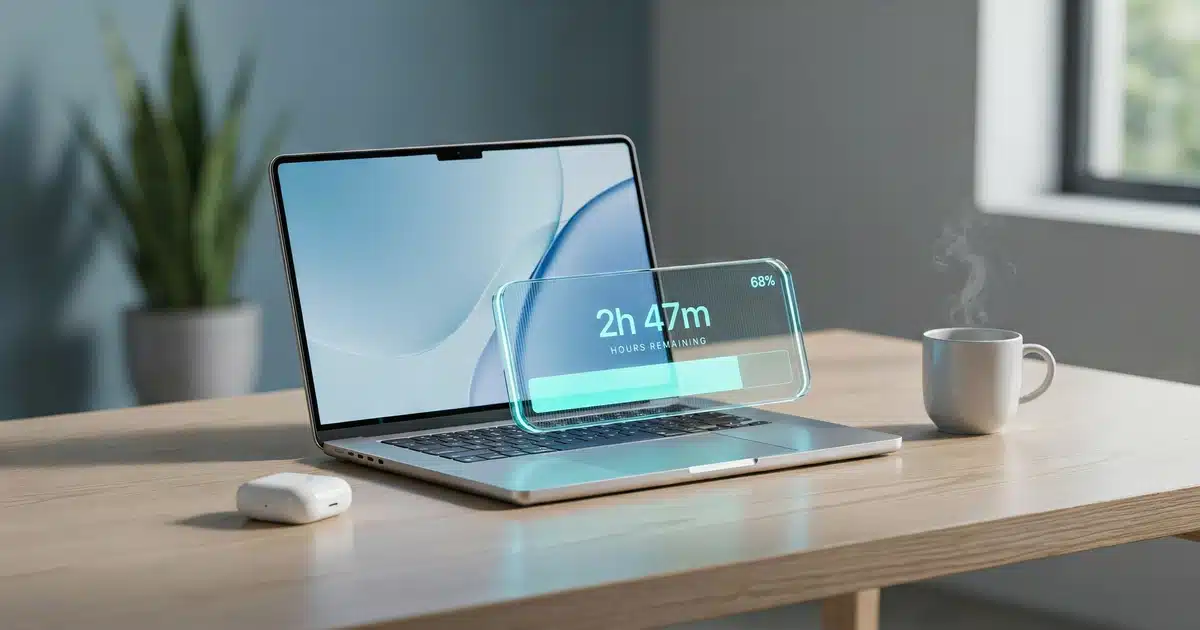

Good laptop battery life in 2026 means 8–10 hours of real-world use, with 12+ hours considered excellent. Advertised numbers are typically 30–50% higher than what you’ll actually get day to day, since manufacturers test under ideal lab conditions that don’t match how most people actually use a laptop.
- Real-world battery life runs 30–50% below advertised claims, since lab tests use dim screens, no Wi-Fi, and a single looping video
- 8–10 hours of real-world use is good; 12+ hours is excellent for a 2026 laptop
- Screen brightness is the single biggest drain on laptop battery life
- ARM-based chips like Apple’s M-series and Qualcomm’s Snapdragon X Elite deliver 30–50% longer real-world battery life than comparable Intel or AMD x86 laptops
- Lithium-ion batteries typically drop to about 80% capacity after 500–1,000 charge cycles, or roughly 2–4 years of regular use
You’ve seen the ad. “Up to 18 hours of battery life.” You buy the laptop, unplug it for a normal day of work, and by hour six, you’re hunting for an outlet. If that sounds familiar, you’re not imagining things — and you’re definitely not alone.
Laptop battery life is one of the most misunderstood specs on any spec sheet. The number on the box and the number you actually experience are two very different things. After testing battery life on dozens of laptops using real-world workloads — not just the video-loop test manufacturers love — here’s what those advertised numbers actually mean for you.
Key Takeaways
- Advertised battery hours are lab numbers, not real-world ones — expect 30–50% less in daily use
- 8–10 hours real-world is good, 12+ is excellent
- Screen brightness is the single biggest drain
- ARM-based chips (Apple M-series, Snapdragon X Elite) beat traditional x86 chips on real-world battery life
- Batteries typically drop to 80% capacity after 500–1,000 charge cycles (2–4 years)
What Is Laptop Battery Life, Really?
Laptop battery life is simply how long your laptop runs on a full charge before it needs to be plugged back in, expressed in hours.
Here’s the plain English version: your laptop has a battery with a fixed amount of stored energy, measured in watt-hours (Wh). The bigger that number, the more energy is available. But how long that energy actually lasts depends entirely on how fast your laptop is using it up.
Think of it like the MPG sticker on a new car. The number is measured under controlled, ideal conditions — not your actual stop-and-go commute with the AC running. A laptop’s advertised battery life works the same way.
A laptop’s advertised battery life is measured under best-case conditions: low screen brightness, airplane mode on, and a single task like playing a video on loop. Your actual “city driving” — multiple browser tabs, video calls, Wi-Fi searching for a signal, screen brightness cranked up — burns through that battery much faster. This gap matters because it changes what you should actually expect from a laptop labeled “18 hours.” Realistically, expect to lose 30–50% of that number in daily use.
How Is Battery Life Actually Measured?
Manufacturers test battery life in a lab, under conditions that rarely match how you actually use your laptop.
Is the lab test realistic?
Most advertised battery life numbers come from a video-playback loop test: the laptop plays a local video file on repeat, at low brightness (often 150 nits or less), with Wi-Fi and Bluetooth turned off, and no other apps running. This is a legitimate way to measure raw battery efficiency, but it’s about as close to your daily routine as a treadmill test is to running a marathon.
How do real-world tests differ?
This is why we test differently. Our real-world battery tests keep Wi-Fi on, run a mix of browser tabs, video calls, and document editing, and set brightness to a realistic 200–250 nits — closer to how you’d actually use the laptop at a coffee shop or in the office.
Industry benchmark suites like MobileMark and PCMark follow a similar video-loop or scripted-task approach for standardized comparison — useful for consistency between labs, but built for repeatability, not for mirroring how you actually use a laptop day to day.
We test at a realistic 200–250 nits of brightness with Wi-Fi on, running a mixed workload of browser tabs, video calls, and document editing — not a single looping video with everything turned off. We publish both the manufacturer’s advertised figure and our own measured result in every review.
| Brightness | Lab tests use dim screens; real use often runs 50–70% brightness |
|---|---|
| Connectivity | Lab tests disable Wi-Fi/Bluetooth; real use keeps both running |
| Workload | Lab tests loop one video; real use juggles multiple apps and tabs |
| Background processes | Lab tests minimize these; real use has updates, sync, notifications running constantly |
→ See our real-world battery test results in our full laptop reviews, where we publish both the advertised number and what we actually measured.
What Drains Laptop Battery the Fastest
Not all laptop use is created equal. Some activities and settings drain a battery dramatically faster than others.
| Screen brightness | High impact — lower to 40–50% indoors |
|---|---|
| High refresh rate | Medium-high impact — switch to 60Hz on battery power |
| Discrete GPU | High impact — use integrated graphics mode when not gaming |
| Background apps | Medium impact — close unused tabs and apps |
→ Panel technology plays a role here too — see our OLED vs IPS vs LCD comparison to see how display type affects both brightness needs and power draw.
What’s a Good Battery Life for a Laptop?
“Good” battery life depends on your chip type and how you actually plan to use the laptop, but here’s a realistic range based on real-world — not lab — testing.
| Under 6 hours | Basic — desktop replacement, always near an outlet |
|---|---|
| 6–10 hours | Good — everyday work, school, general browsing |
| 10–15 hours | Excellent — all-day use, frequent travel |
| 15+ hours | Premium (efficiency chips) — heavy travelers, minimal charging needs |
If a laptop advertises “18 hours” and you’re getting 9–10 in real-world mixed use, that’s actually a solid, expected result — not a defect. → Browse our tested laptop reviews to see which models consistently deliver strong real-world numbers.
Why Efficiency Chips Changed the Game
This is genuinely one of the more interesting shifts in laptops over the past few years. Traditional laptop processors (Intel and AMD’s x86 chips) were built primarily for raw performance, with power efficiency as a secondary concern. ARM-based chips — Apple’s M-series and Qualcomm’s Snapdragon X Elite — were designed the opposite way: efficiency first.
The practical result is that ARM-based laptops routinely deliver real-world battery life that x86 laptops simply can’t match at the same performance level, often 30–50% longer on a similar-sized battery. This is why a MacBook Air can realistically hit 15+ hours of mixed use while a similarly priced Windows laptop with a traditional chip lands closer to 8–10.
In our testing, this shows up consistently across price brackets. If real-world runtime matters more to you than raw performance, an ARM-based laptop is usually the safer bet at any given price point.
→ Want the full breakdown of how these chips stack up? Read our laptop processor guide (Intel vs AMD vs Apple vs Snapdragon), and if you’ve seen “Copilot+ PC” on a spec sheet, see what an NPU actually does for battery life.
Do You Actually Need Long Battery Life?
Perfect Fit
Moving between classes, trains, or planes without reliable outlet access
Good Fit
Working from cafes, co-working spaces, or outdoors
Not Ideal Priority
Works from one location with a charger always nearby
Not Ideal Priority
Usually plugged in anyway — performance mode drains battery regardless
Is the battery-life premium worth paying for?
Laptops with genuinely excellent battery life (12+ hours real-world) often carry a $100–300 premium over similar-spec models with average battery life. If you’re rarely far from an outlet, that money is better spent on RAM or storage. If you’re constantly on the move, it’s one of the best upgrades you can buy.
→ Not sure which brand tends to balance battery life and price best? Check our Dell vs HP vs Lenovo comparison. → And if you’re weighing this against every other spec, our complete laptop buying guide walks through how to prioritize.
How to Extend Your Laptop’s Battery Life
You don’t need a new laptop to get more hours out of the one you have. A few small changes make a real difference:
- Lower your screen brightness — dropping from 100% to 50% can add an hour or more
- Turn on battery saver mode — most systems throttle background performance automatically
- Close unused browser tabs and apps — each one quietly uses processor cycles and memory
- Turn off the keyboard backlight when you don’t need it
- Switch to 60Hz refresh rate on battery power if your laptop supports dynamic refresh
- Disconnect unused peripherals — external drives and accessories draw power even when idle
- Limit background sync — cloud backup and auto-updates can run at inconvenient times
Battery Health and Degradation — What Happens Over Time
Every lithium-ion battery degrades gradually, and laptop batteries are no exception. This happens through charge cycles — one full cycle equals using 100% of the battery’s capacity, whether that’s one full discharge or several partial ones added together. (You can see exactly how this is tracked on your own device in Apple’s guide to Mac battery cycle counts.)
Most laptop batteries are rated for 500–1,000 full charge cycles before capacity drops to around 80% of original. In practical terms, that’s roughly 2–4 years of typical daily use before you’ll notice a meaningful drop in battery life.
Should you keep your laptop plugged in all the time?
This is where people get mixed up. Modern laptops manage this well — most stop charging past 100% and use the battery periodically even while plugged in, so leaving it connected isn’t the battery killer it used to be. That said, extreme heat while plugged in and gaming can accelerate wear more than the charging itself.
→ Curious how battery wear fits into a laptop’s overall lifespan? See our complete brand-by-brand laptop lifespan guide for what to expect year by year.
Frequently Asked Questions
What is considered good battery life for a laptop?
Why is my laptop battery life so bad?
How do I extend my laptop’s battery life?
Do laptop batteries degrade over time?
Why doesn’t my new laptop last as long as advertised?
Do MacBooks have better battery life than Windows laptops?
Should I keep my laptop plugged in all the time?
How long should a laptop battery last before replacement?
What’s the difference between mAh and Wh?
Can you replace a laptop battery yourself?
The Bottom Line on Laptop Battery Life
Laptop battery life is determined by battery capacity, screen brightness, and how hard your processor is working — and the number on the box is almost always measured under best-case conditions you won’t replicate day to day. Realistically, expect 8–10 hours to be good, 12+ hours to be excellent, and always mentally discount advertised numbers by 30–50% for real-world use.
Now that you understand what these numbers actually mean, the next step is finding a laptop that delivers strong real-world battery life, not just an impressive spec sheet.
→ Or read our laptop processor guide to see how a modern ARM-based chip performs outside the lab.

Shamim Sarker is the Founder and Lead Tech Reviewer at ShamimTechReview.com. With over 8 years of hands-on experience in consumer electronics, he specializes in unbiased reviews of smartphones, laptops, cameras, AI tools, and smart gadgets.
Shamim personally tests every product through rigorous real-world usage and data-driven benchmarks, maintaining complete transparency with no paid promotions. His mission is to help readers cut through marketing hype and make confident, informed buying decisions.