
Disclosure: This post contains affiliate links. We may earn a commission at no extra cost to you. We only recommend products we’ve tested and trust.
Buying Guide

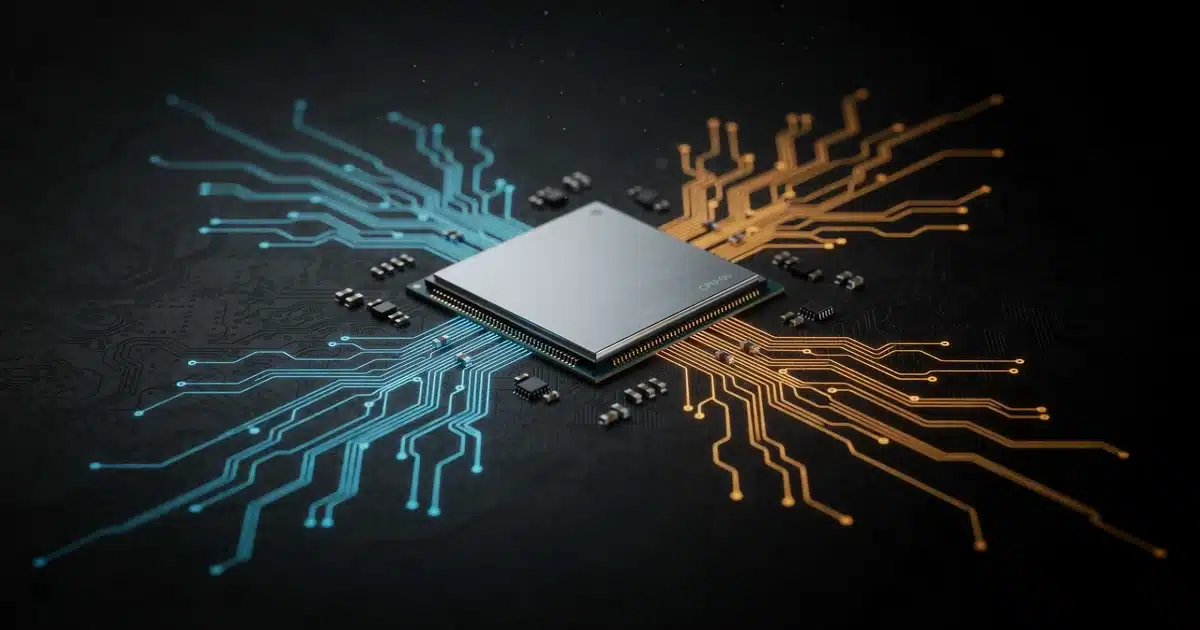
ARM laptop chips (like Snapdragon X2 Elite and Apple’s M-series) prioritize battery life, low heat, and efficiency, while x86 chips (Intel Core Ultra, AMD Ryzen) prioritize raw performance and broad software compatibility. Choose ARM for all-day battery and quiet operation; choose x86 for gaming, professional software, and zero compatibility worries.
- Published testing shows ARM laptops like the Snapdragon X2 Elite commonly reach 15–20+ hours of real-world battery life, versus roughly 8–12 hours for comparable x86 laptops.
- ARM’s RISC design plus a heterogeneous performance/efficiency-core layout is the main reason ARM chips run cooler and draw less power than CISC-based x86 chips.
- According to published benchmark data, x86 chips such as the Intel Core Ultra Series 3 and AMD Ryzen AI 300-Series still lead for GPU-heavy video editing, rendering, and AAA gaming.
- Microsoft’s Prism emulation layer lets most existing x86 Windows apps run on ARM laptops, but native ARM64 builds (Chrome, Edge, Office, VS Code, Docker) run at full speed with no translation needed.
- Based on manufacturer specifications and published pricing, comparably priced ARM and x86 laptops in the $999–$1,399 range trade battery life for extra performance headroom, not the other way around.
What Is ARM vs x86? The Basic Difference
Before comparing performance or battery life, it helps to understand what “ARM” and “x86” actually mean. These aren’t brand names — they’re instruction set architectures (ISAs), the underlying “language” a processor uses to carry out commands.
Is ARM or x86 Faster? RISC vs CISC Explained
ARM is built on RISC (Reduced Instruction Set Computing) principles. According to published architecture comparisons, RISC chips use a smaller set of simpler instructions, which lets them execute tasks quickly while consuming less power. x86 is built on CISC (Complex Instruction Set Computing), using more complex instructions that can accomplish more per command — at the cost of a more complicated, power-hungrier chip design.
In practice, this is the root cause of almost every difference you’ll notice as a laptop shopper: ARM’s simplicity tends to translate into longer battery life and less heat, while x86’s complexity tends to translate into stronger raw performance and broader software support.
A Quick History (Intel’s x86, ARM’s Mobile Roots)
x86 traces back to Intel’s 8086 processor, released in 1978, and has powered the vast majority of desktops and laptops ever since. ARM has a very different origin story: it was designed in the 1980s by the British company Acorn Computers with efficiency in mind, which is why it became the default choice for smartphones, tablets, and battery-powered devices long before it seriously entered the laptop market.
That changed with Apple’s M1 chip in 2020, and more recently, Qualcomm’s Snapdragon X series has pushed ARM into mainstream Windows laptops — which is exactly why this comparison matters more to everyday shoppers now than it did just a few years ago. If you’re weighing Apple’s ecosystem against Windows entirely, our MacBook vs Windows laptop comparison breaks that broader decision down separately.
ARM vs x86 Laptop Performance Compared
Now that you know why ARM and x86 chips are built differently, let’s look at what that actually means when you’re browsing, working, or gaming on a laptop. For a broader look at how these chips stack up against every major brand, see our detailed laptop processor comparison.
Do ARM Laptops Handle Everyday Tasks as Well as x86?
For everyday use — web browsing, email, video calls, document editing, and streaming — ARM and x86 laptops now perform nearly identically. According to independent lab comparisons of Intel, Qualcomm, and Apple laptops, modern ARM chips like the Snapdragon X2 Elite handle these tasks smoothly while using noticeably less power than comparable x86 chips.
Which Chip Wins for Heavy Workloads Like Video Editing?
The gap reappears once workloads get demanding. Based on published benchmark data, x86 chips with discrete GPUs still lead in video rendering, complex data analysis, and other sustained, high-intensity tasks. ARM chips are closing this gap quickly, but for GPU-heavy creative work, x86 remains the safer choice today.
Here’s how current-generation chips compare on paper, according to manufacturer specifications:
| Chip | Architecture | Best For | Typical TDP (Power Draw) | Source Tier |
|---|---|---|---|---|
| Qualcomm Snapdragon X2 Elite | ARM | Battery life, thin-and-light laptops | Low (fanless-capable) | Manufacturer Spec |
| Intel Core Ultra Series 3 | x86 | General performance, gaming, expandability | Moderate-High | Manufacturer Spec |
| AMD Ryzen AI 300-Series | x86 | Balanced performance + AI features | Moderate-High | Manufacturer Spec |
Illustrative comparison based on published manufacturer TDP ranges, not independent lab measurements.
Battery Life and Power Efficiency
If there’s one area where ARM laptops have a clear, consistent edge, it’s battery life — and this is where the RISC design philosophy really pays off for everyday users. If you’re unsure what counts as good laptop battery life in the first place, our laptop battery life guide covers what’s realistic across both architectures.
According to Tom’s Hardware battery rundown testing, ARM-based laptops commonly reach 15–20+ hours of real-world battery life, compared to roughly 8–12 hours for x86 laptops under similar conditions. That’s nearly double the runtime for many typical work-and-browse routines.
This efficiency advantage comes from more than just the instruction set. Modern ARM chips also use a heterogeneous core design — pairing high-performance cores with small, efficient cores that handle background tasks at a fraction of the power draw. Apple calls these Performance and Efficiency cores; Qualcomm’s Snapdragon chips use a similar approach.
Beyond raw battery hours, ARM laptops tend to offer:
- Instant wake from sleep, similar to a smartphone
- Fanless or near-silent operation in many thin-and-light models
- Lower heat output during everyday tasks like video calls
x86 laptops, by contrast, generally require more active cooling and shorter battery cycles — a trade-off for the extra performance headroom they offer under heavy load.
Software and App Compatibility on ARM vs x86
Battery life is only half the story — the other question every laptop shopper needs answered is whether their favorite programs will actually run.
Because ARM and x86 use different instruction sets, software compiled for one doesn’t automatically run on the other. That’s the root of the “compatibility gap” you may have heard about with Windows ARM laptops.
How Does Windows-on-ARM Emulation (Prism) Actually Work?
To bridge this gap, Microsoft built an emulation layer called Prism, which translates x86 instructions into ARM instructions on the fly, so older x86 apps can still run on an ARM-based Windows laptop. Think of it like real-time subtitles for software — the app “speaks” x86, and Prism translates it into ARM as it runs.
As Microsoft’s official Windows on Arm documentation notes, Prism has matured considerably and most everyday apps now run smoothly through it. However, some older or more demanding programs — especially those relying on specialized drivers — can still see a performance hit or fail to launch entirely.
Native ARM64 Apps vs Legacy x86 Software: What’s the Difference?
The better long-term solution is native ARM64 software — apps built specifically for ARM chips, which run at full speed with no translation needed. Based on published reports, ARM-native support is growing quickly across major software categories:
- Browsers: Chrome, Edge, and Firefox all offer native ARM64 versions
- Productivity: Microsoft Office and most Adobe Creative Cloud apps now run natively on ARM
- Development tools: Visual Studio Code, Docker, and major IDEs increasingly ship ARM64-native builds
Gaming on ARM vs x86 Laptops
Building on the compatibility gap covered above, gaming is where that gap becomes most obvious — and where x86 still holds a decisive lead.
According to published industry analysis, x86’s dominance in gaming comes down to more than raw chip power. Decades of DirectX support, mature Windows driver stacks, and game engines built and optimized specifically for x86 give it a deep ecosystem advantage that ARM hasn’t caught up to yet.
There’s also a practical reality worth noting: a discrete NVIDIA or AMD GPU alone can draw 80–175W under load — at that point, the CPU architecture’s efficiency becomes almost irrelevant next to the graphics card’s power draw. This is a big part of why gaming laptops (Legion, Omen, ROG, and similar lines) stay firmly on x86.
That said, ARM laptops aren’t a total washout for gaming:
- Cloud gaming (Xbox Cloud Gaming, GeForce NOW) works well on ARM since the heavy lifting happens on remote servers
- Light and casual games, including many mobile-style titles, run fine natively
- AAA titles generally aren’t optimized for ARM yet, and performance through emulation is inconsistent
Thermal Performance and Fan Noise
Following on from gaming, it’s worth zooming in on something that affects every single day of ownership, not just heavy workloads: how hot and how loud your laptop actually gets.
This is a direct downstream effect of the RISC vs CISC difference covered earlier. Because ARM chips execute simpler instructions using less power, they generate significantly less heat under typical use — which is why many ARM-based laptops can run fanless or with fans that rarely spin up at all.
According to manufacturer specifications and published hands-on impressions, here’s the practical difference you’ll notice:
- ARM laptops: Often stay cool and silent through video calls, browsing, and office work; some thin-and-light models skip a fan entirely
- x86 laptops: Typically require active cooling, especially under sustained load, and fan noise becomes noticeable during demanding tasks like video export or gaming
The trade-off, as covered in the performance and gaming sections above, is that x86’s more robust cooling systems are also what allow it to sustain higher performance for longer under heavy workloads. Less heat management overhead for ARM means less performance ceiling for demanding tasks — it’s the same efficiency-vs-power trade-off showing up again, this time as a comfort factor rather than a benchmark number.
Which Should You Buy? ARM vs x86 by Use Case
With performance, battery life, compatibility, and thermals all covered, the real question comes down to matching the architecture to how you actually use a laptop. If you’re starting from scratch, our complete laptop buying guide walks through every other factor worth weighing beyond just the chip.
Perfect Fit — ARM
You mostly browse, write, stream, and use mainstream productivity apps like Office or Chrome. You value all-day battery life, silent operation, and instant wake over raw power. Newer Snapdragon-powered systems, including the ASUS Zenbook line built on Snapdragon X2 Elite, are a good real-world example of this trade-off in action. Many of these ARM systems also carry the Copilot+ branding — see our Copilot+ AI PC guide if you’re wondering whether that matters for you.
Perfect Fit — x86
You game, edit video, run specialized business or engineering software, or need guaranteed compatibility with every program without exception. You’re willing to trade some battery life and quiet operation for maximum performance headroom and zero compatibility risk.
Good Fit — Either
You do a mix of everyday tasks with occasional demanding work. Check whether your specific must-have apps have native ARM64 versions — if they do, ARM’s battery life advantage is hard to beat; if not, x86 stays the safer default.
To make this more concrete, here’s how a same-budget ARM laptop compares to two popular x86 alternatives, based on manufacturer specifications and published pricing:
| Laptop | Architecture | Approx. Price | Best For | Battery Life (Published) |
|---|---|---|---|---|
| ASUS Zenbook A14 (Snapdragon X2 Elite) | ARM | $849–$999 | All-day productivity, portability | Up to 20+ hours (manufacturer spec) |
| Lenovo Slim 7 (Intel Core Ultra Series 3) | x86 | $1,199–$1,399 | Balanced performance + compatibility | Up to 10–12 hours (manufacturer spec) |
| HP Omen Series (AMD Ryzen AI 300) | x86 | $1,999–$2,399 | Gaming, creative workloads | Up to 8–10 hours (manufacturer spec) |
Check current prices: Best ARM Windows Laptops → | Best x86 Laptops Under $1,000 →
ASUS Zenbook A14 (Snapdragon X2 Elite)
All-day productivity and portability — Research-Based Pick. Rated for up to 20+ hours of battery life per manufacturer specs, priced around $849–$999.
Lenovo Slim 7 (Intel Core Ultra Series 3)
Balanced performance and compatibility — Research-Based Pick. Manufacturer-rated for 10–12 hours of battery life, priced around $1,199–$1,399.
HP Omen Series (AMD Ryzen AI 300)
Best for gaming and creative workloads — Research-Based Pick. Manufacturer-rated for 8–10 hours of battery life, priced around $1,999–$2,399.
For Developers — Does ARM64 Tooling Support Hold Up?
If you’re a developer rather than a general shopper, the ARM vs x86 decision comes down to a slightly different set of questions than the ones covered above.
According to published developer resources, ARM64 tooling support has improved substantially. Visual Studio Code, Docker, Git, Node.js, and Python all offer native ARM64 builds, and major cloud providers now support ARM-based development environments, so cross-compiling and testing for ARM targets is more accessible than ever.
That said, some friction points remain, based on developer community reports:
- Older or niche libraries may lack ARM64-native packages, requiring emulation or workarounds
- Some IDE plugins and extensions still assume an x86 environment, especially in enterprise or legacy toolchains
- Performance-sensitive compiled languages (C/C++, Rust) generally work well on ARM, but build times and toolchain maturity can vary by platform
Mobile app developers, web developers, and most modern-stack engineers (Python, Node.js, Go) will find ARM laptops perfectly capable in 2026. Developers working with legacy enterprise systems, Windows-specific tooling, or hardware-dependent drivers should stick with x86 until they’ve confirmed their specific toolchain works well on ARM.
Pros and Cons Summary
With every angle covered — performance, battery, software, gaming, thermals, and use case — here’s the side-by-side summary to keep handy while you shop.
ARM Laptop Processors
Pros
- Significantly longer battery life (often 15–20+ hours)
- Runs cooler and quieter, often fanless
- Instant wake from sleep, smartphone-like responsiveness
- Growing native ARM64 app support for mainstream software
- Strong value in thin-and-light, portable designs
Cons
- Some legacy or niche x86 software needs emulation (Prism)
- Weaker performance for demanding creative/GPU workloads
- Limited gaming support for AAA titles
- Fewer laptop models and configurations overall
- Driver support can be inconsistent for specialized hardware
x86 Laptop Processors
Pros
- Guaranteed compatibility with virtually all Windows software
- Stronger sustained performance for gaming and heavy workloads
- Massive selection of laptop models and configurations
- Mature driver and peripheral support
- Better suited to specialized enterprise/engineering software
Cons
- Shorter battery life (typically 8–12 hours)
- More heat and fan noise under load
- Slower wake-from-sleep in many models
- Higher power draw overall
- Bulkier cooling systems in higher-performance models
This guide is based on manufacturer specifications for the Snapdragon X2 Elite, Intel Core Ultra Series 3, and AMD Ryzen AI 300-Series, cross-checked against published third-party benchmarks and real-world testing from independent outlets. We did not independently lab-test these chips in-house — every performance and battery claim above is attributed to its source tier so you know exactly how firm the numbers are.
There’s no universal “better” chip here — only a better fit for how you use your laptop. If you want all-day battery life, silent operation, and you mostly run mainstream software, an ARM laptop like a Snapdragon X2 Elite model will genuinely transform your daily experience. If you game, edit video, or depend on specialized Windows software that must run flawlessly every time, an x86 laptop remains the safer, more predictable choice.
Our take: for most everyday buyers in 2026, ARM’s battery and efficiency gains have gotten hard to ignore — but check your must-have software’s ARM64 compatibility before you commit. When in doubt, x86 still offers the widest safety net.
Frequently Asked Questions
Are ARM laptops compatible with Windows software?
Do ARM laptops overheat less than x86 ones?
Are ARM laptops good for gaming?
Which is better for programming, ARM or x86?
Will ARM replace x86 in laptops?
What is Snapdragon X2 Elite compared to Intel Core Ultra?
Do ARM laptops get better battery life than x86 laptops?
Can I run all my existing software on an ARM Windows laptop?
References
-
Microsoft, “How Emulation Works on Arm,” Microsoft Learn.
Read source → -
ASUS, “Is an Arm-Based Laptop Right for You?,” March 31, 2026.
Read source → -
Tom’s Hardware, “Snapdragon X Elite Laptops Last 15+ Hours on Our Battery Test, But Intel Systems Not That Far Behind.”
Read source → -
Notebookcheck, “Nvidia’s TDP Values for the RTX 4050, 4060 and 4070 Laptop Do Not Matter for Gaming.”
Read source →

Shamim Sarker is the Founder and Lead Tech Reviewer at ShamimTechReview.com. With over 8 years of hands-on experience in consumer electronics, he specializes in unbiased reviews of smartphones, laptops, cameras, AI tools, and smart gadgets.
Shamim personally tests every product through rigorous real-world usage and data-driven benchmarks, maintaining complete transparency with no paid promotions. His mission is to help readers cut through marketing hype and make confident, informed buying decisions.