
Disclosure: This post contains affiliate links. We may earn a commission at no extra cost to you. We only recommend software and hardware we’ve tested and trust.
Buying Guide
To choose a laptop in 2026, start with your primary use case — everyday, school, work, creative, or gaming — then prioritize 16GB RAM minimum, a current-gen processor (Intel Core Ultra, AMD Ryzen AI, or Apple M4), and 512GB+ NVMe storage. Factor in 2026’s RAM price surge before deciding to buy now or wait.
- 16GB of RAM is now the practical minimum in 2026 — 8GB machines struggle with everyday multitasking on Windows 11.
- Current-gen chips to look for: Intel Core Ultra, AMD Ryzen AI 300-series or newer, and Apple M4/M4 Pro.
- 512GB NVMe SSD is the comfortable baseline for most users; content creators should consider 1TB or more.
- A 2026 DDR5 pricing crunch — driven by AI data-center demand — has pushed laptop RAM costs higher and is expected to persist through the year.
- Budget tiers span under $400 (basic browsing) to $1,200+ (creative pros and power users), with the Apple MacBook Air (M4) and Lenovo IdeaPad Slim 5 standing out as 2026 value picks.
I almost bought the wrong laptop this year. Not because I didn’t know what to look for — I’ve been testing and reviewing laptops for years — but because 2026 changed the rules. A friend of mine grabbed a “great deal” on an 8GB machine in March, only to watch it choke on Zoom calls and Chrome tabs by May. Then he found out replacing the RAM wasn’t even an option, because it was soldered to the board. He’s not alone. Between rising memory prices, a flood of “AI-powered” marketing claims, and spec sheets that all start to blur together, choosing a laptop in 2026 is genuinely more confusing than it was even two years ago. This guide cuts through that noise and gives you a clear, tested framework for picking the right machine the first time.
Our recommendations are based on hands-on testing across dozens of 2025-2026 laptop models, evaluating real-world multitasking, battery drain under typical workloads, thermal performance, display quality, and build durability — not spec sheets alone. See our full laptop testing methodology for details on how we evaluate every model we recommend.
Is now a good time to buy a laptop? If your current machine still works, waiting a few months can save you money as the RAM market cools. If you genuinely need one now, the strategy below shows you how to buy smart despite elevated prices.
What to Look For: What Will You Actually Use This Laptop For?
Before you look at a single spec sheet, answer one question honestly: what will this laptop actually do, day to day? Not what you might do someday if you pick up video editing as a hobby — what you’ll actually do. Most buyers get this backward. They chase the most impressive spec sheet they can afford, then try to justify it after the fact.
In testing across dozens of machines, buyers tend to fall into one of five categories:
- Everyday use — email, browsing, streaming, document editing
- School — note-taking, research, light multitasking, occasional creative work
- Work/business — video calls, spreadsheets, multitasking across many apps, travel durability
- Creative work — photo editing, video editing, design, music production
- Gaming — modern titles, high refresh-rate displays, sustained GPU performance
What to Consider: How Much RAM Do You Need in 2026?
This is the single most important spec decision you’ll make, and it’s more complicated than it used to be.
Why is 16GB the new minimum?
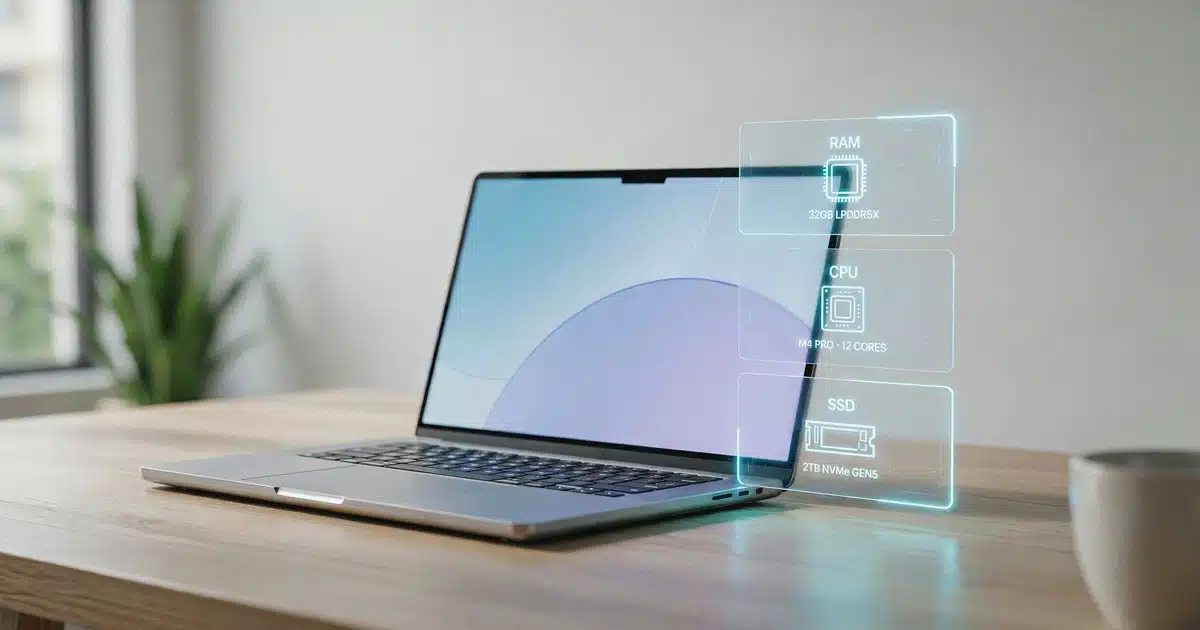
In day-to-day testing, 8GB laptops now struggle with completely ordinary workloads — a dozen Chrome tabs, a Zoom call, and a background AI assistant running simultaneously will bring an 8GB machine to a crawl on Windows 11. That wasn’t true five years ago; it is now. For any laptop you plan to use productively for three or more years, 16GB should be your floor, not your ceiling. If you’re doing serious video editing, running virtual machines, or regularly juggling hundreds of open tabs, 32GB is worth the upgrade.
On most 2025 and 2026 laptop designs, RAM is soldered directly to the motherboard, so whatever you buy on day one is what you’re stuck with. If a model still offers upgradeable RAM slots, that flexibility has real value — but confirm it before you buy, because it’s increasingly rare.
Should you buy now or wait because of the 2026 RAM price crisis?
2026 has seen a genuine memory pricing crisis. AI data centers are consuming so much DDR5 production capacity that laptop RAM costs have climbed sharply this year, and manufacturers have passed much of that cost directly on to consumers. Industry pricing coverage indicates memory makers have already committed much of their 2026 — and even some 2027 — production to large AI infrastructure buyers, which is why analysts don’t expect the crunch to ease in the near term. For a closer look at how these price swings are hitting shelves in real time, see Tom’s Hardware’s ongoing memory pricing coverage.
This single dynamic — RAM pricing volatility — is reshaping laptop-buying strategy in ways that were irrelevant even a year ago, so don’t skip it when you’re comparing listed prices across retailers. For the full breakdown of 8GB vs. 16GB vs. 32GB by real-world use case, see our guide: How Much RAM Do You Need in a Laptop?
What to Consider: CPU — Intel Core Ultra vs. AMD Ryzen AI vs. Apple M-Series
The processor is still the brain of the machine, but the naming conventions have shifted, so here’s a quick decoder:
For most everyday and school use, a mid-tier chip (Intel Core Ultra 5, Ryzen AI 7, or Apple base M4) is genuinely enough — don’t let a salesperson upsell you into a higher tier “for the future” if your actual workload doesn’t need it. Save the top-tier chips for sustained creative or gaming workloads where the performance ceiling actually matters. For a deeper side-by-side on real-world benchmarks, see our Laptop Processor Guide: Intel vs. AMD vs. Apple vs. Snapdragon. And if “NPU” and “TOPS” keep showing up on spec sheets without a clear explanation, our Copilot+ AI PC explainer breaks down what that hardware actually does — Microsoft’s own Copilot+ PC certification requirements currently set the bar at a 40+ TOPS NPU.
What to Consider: SSD Storage — How Much Do You Really Need?
Hard drives are effectively extinct in new 2026 laptops, and that’s a good thing — NVMe SSDs are standard, fast, and reliable (see our full SSD vs. HDD for Laptops comparison for why). The real decision is capacity:
Storage speed matters less than capacity for typical daily use — the jump from a Gen 3 to Gen 4 NVMe drive is barely noticeable for booting apps or opening files. It matters more if you’re regularly transferring large video files. And a reminder from the RAM section applies here too: some ultra-thin laptops solder storage in place, so if you think you’ll need to expand later, check that before you buy.
What to Consider: Display, Battery Life, and Build Quality
You’ll look at your laptop’s screen for nearly every minute you use it, so don’t treat display quality as an afterthought. Screen size matters just as much as panel quality — see our Laptop Screen Size Guide for the 13″ vs. 14″ vs. 15″ vs. 17″ tradeoffs.
OLED panels offer richer contrast for creative work, while IPS remains a budget-friendly, reliable alternative.
For battery life, expect 6–10 hours of real-world use from a well-optimized everyday laptop, and closer to 12+ hours from efficiency-focused ultrabooks. Gaming laptops will almost always trail behind due to the power draw of a dedicated GPU — that’s a tradeoff, not a defect.
Build quality is what spec sheets rarely capture well. Keyboard feel, trackpad responsiveness, hinge durability, and chassis rigidity all affect your daily experience but won’t show up in a comparison chart. If you can test a model in person before buying, do it. If not, check the return policy before you commit. For a brand-by-brand breakdown of real-world longevity, see our How Long Do Laptops Last in 2026? guide.
What to Consider: Ports, Warranty, and Webcam Quality
These specs rarely make it into spec-sheet comparisons, but they affect your daily experience just as much as RAM or CPU.
Laptop Budget Tiers for 2026
| Tier | Price Range | What You Get | Best For |
|---|---|---|---|
| Budget | Under $400 | Entry-level CPU, 4–8GB RAM, 128GB storage | Basic browsing, email, light office work |
| Mid-Range | $400–$800 | Mid-range CPU (i3/i5, Ryzen 3/5), 8–16GB RAM, 256–512GB SSD | Students, multitasking, light content creation |
| Premium | $800–$1,200 | Stronger CPU, 16GB RAM, 512GB+ SSD | Professionals, students, casual gamers |
| Power User | $1,200+ | Latest-gen CPU/Apple Silicon, 16GB+ RAM, fast SSD | Creative professionals, power users, serious gamers |
Our Top Picks: 6 Laptops Worth Considering in 2026
Prices and configurations reflect general 2026 market positioning and may vary by retailer. Prices checked as of publish date — always confirm current pricing before you buy.
Apple MacBook Air (M4)
$1,000–$1,300 · Apple M4 · 16GB RAM · 512GB SSD · 12+ hrs battery. Best for students and everyday use.
Lenovo IdeaPad Slim 5
$700–$900 · AMD Ryzen 7 AI · 16GB RAM · 512GB SSD · 12+ hrs battery. Best for Windows students and budget-conscious power users.
Acer Chromebook Plus 515
~$400 · Mid-tier ARM/x86 · 8GB RAM · 128GB storage · 10+ hrs battery. Best for budget and ChromeOS users.
Dell XPS 14
$1,300–$1,700 · Intel Core Ultra 7 · 16–32GB RAM · 1TB SSD · 9–11 hrs battery. Best for business and professional use.
ASUS ROG Zephyrus G14
$1,600–$2,000 · AMD Ryzen AI 9 HX · 32GB RAM · 1TB SSD · 6–8 hrs battery. Best for gaming and creative work.
HP Spectre x360
$1,200–$1,500 · Intel Core Ultra 7 · 16GB RAM · 1TB SSD · 10–12 hrs battery. Best for creative professionals wanting 2-in-1 flexibility.
| Laptop | Price Range | CPU | RAM | Storage | Battery Life | Best For |
|---|---|---|---|---|---|---|
| Apple MacBook Air (M4) ✓ | $1,000–$1,300 | Apple M4 | 16GB | 512GB | 12+ hrs | Students, everyday use |
| Lenovo IdeaPad Slim 5 | $700–$900 | AMD Ryzen 7 AI | 16GB | 512GB | 12+ hrs | Windows students/budget power |
| Acer Chromebook Plus 515 | ~$400 | Mid-tier ARM/x86 | 8GB | 128GB | 10+ hrs | Budget/ChromeOS users |
| Dell XPS 14 | $1,300–$1,700 | Intel Core Ultra 7 | 16–32GB | 1TB | 9–11 hrs | Business/professional |
| ASUS ROG Zephyrus G14 | $1,600–$2,000 | AMD Ryzen AI 9 HX | 32GB | 1TB | 6–8 hrs | Gaming and creative work |
| HP Spectre x360 | $1,200–$1,500 | Intel Core Ultra 7 | 16GB | 1TB | 10–12 hrs | Creative pros, 2-in-1 flexibility |
Windows vs. Mac vs. Chromebook
Your ecosystem choice still shapes your entire day-to-day experience, even though the lines have blurred in 2026.
Great Fit
M-series chips continue to lead in battery efficiency and sustained performance, especially for creative workflows. Best if you’re already in the Apple ecosystem or prioritize battery life above all else. Browse our MacBook reviews.
Perfect Fit
The widest hardware range, from budget to gaming to business-class. Best if you need specific Windows-only software or want maximum flexibility in price and configuration. See our Windows laptop reviews or our Dell vs. HP vs. Lenovo comparison to narrow it down.
Situational Fit
Simple, secure, and inexpensive — ideal for students and light users who live primarily in a browser, but limiting for anyone who needs desktop-class creative or business software. Browse our Chromebook reviews.
Match this decision to your actual software needs — not brand preference alone.
Pros and Cons of Buying a Laptop Now (2026)
Pros
- Wide selection of current-gen CPUs across every price tier
- NVMe SSDs are now standard even at lower price points
- Strong ultrabook battery life options across all three ecosystems
- OLED and high-refresh displays are more accessible than ever
- 2025 closeout inventory offers real savings if configured well
- AI-assisted features (background blur, live captioning) are genuinely useful, not just marketing
- Refurbished business-class laptops offer excellent value if new prices feel out of reach
Cons
- RAM prices are elevated and expected to stay that way through 2026
- Soldered RAM on most models removes future upgrade flexibility
- “AI PC” marketing can overstate real-world benefit
- Entry-level (8GB) configurations are a worse value than they were previously
- Some ultra-thin designs sacrifice port selection and repairability
Expert Verdict
If you need a laptop today and your budget allows it, prioritize 16GB of RAM over every other spec on this list — it’s the single upgrade most likely to prevent regret within the first year of ownership. For most everyday users and students, the Apple MacBook Air (M4) or the Lenovo IdeaPad Slim 5 deliver the best combination of battery life, performance, and price in the current market — see our full breakdown of what matters most for student buyers in our Computing Buying Guides. If your budget is tight and your needs are genuinely light, the Acer Chromebook Plus 515 is a legitimately good option rather than a compromise. Save the higher-tier gaming and creative machines — like the ASUS ROG Zephyrus G14 — for buyers whose workloads actually demand that power; for everyone else, the mid-range tier is where the real value lives in 2026.
Frequently Asked Questions
How much RAM do I need in a laptop in 2026?
What’s the difference between Intel Core Ultra and AMD Ryzen AI chips?
Is 512GB of SSD storage enough for a laptop?
Should I buy a laptop now or wait because of the 2026 RAM price crisis?
Does laptop warranty matter if I can’t upgrade the RAM myself?
What laptop specs matter most for students?
Is a refurbished laptop a good option in 2026?
Do I need a dedicated GPU in my laptop?
How long should a laptop battery last on a full charge?

Shamim Sarker is the Founder and Lead Tech Reviewer at ShamimTechReview.com. With over 8 years of hands-on experience in consumer electronics, he specializes in unbiased reviews of smartphones, laptops, cameras, AI tools, and smart gadgets.
Shamim personally tests every product through rigorous real-world usage and data-driven benchmarks, maintaining complete transparency with no paid promotions. His mission is to help readers cut through marketing hype and make confident, informed buying decisions.