
We may earn a commission at no extra cost to you. We only
recommend products we’ve tested and trust. See our
testing methodology for details.

A 2-in-1 laptop folds or detaches into tablet mode and supports a touchscreen, at the cost of 1–2 hours of battery life and a higher price for the same specs. A traditional laptop skips the flexibility for better battery life and stronger performance per dollar. Choose a 2-in-1 if you’ll actually use tablet mode or a stylus; choose traditional if you mainly type.
- 2-in-1 laptops typically lose 1–2 hours of real-world battery life versus a similarly specced traditional laptop
- Convertibles (Lenovo Yoga 9i, HP Spectre x360) rotate 360° on a hinge; detachables (Surface Pro) fully separate from the keyboard
- Raw processing performance is nearly identical between comparable models — the price difference goes toward the touchscreen and hinge, not the CPU/GPU
- Well-reviewed 2-in-1s like the Lenovo Yoga 9i start around [$X,XXX], while comparable traditional laptops start around [$X,XXX] (update pricing weekly per site policy)
- Convertible Chromebooks bring the same fold-and-rotate flexibility at a lower price point than Windows 2-in-1s
2-in-1 Laptop
Folds or detaches into tablet mode, touchscreen standard, stylus support on most models
Traditional Laptop
Fixed clamshell, longer battery life, stronger specs per dollar
Choose a traditional laptop if you mostly type in spreadsheets or documents, want the longest battery life for the price, game regularly, or have no interest in a touchscreen at all.
You’re standing in front of two laptops that cost almost the same amount. One folds flat into a tablet. The other doesn’t do anything except open and close like a laptop always has. And somehow that’s supposed to justify a $200 price gap either direction, depending on which one you pick.
Here’s the short version: a 2-in-1 is built around a touchscreen and a flexible hinge, so it can switch between laptop mode, tablet mode, and a few positions in between. A traditional laptop is built around a single job — being a laptop — and that focus shows up in its battery life, keyboard feel, and price. Neither is “better” in general. One is more versatile. The other is more optimized. If you’re starting from scratch, our complete laptop buying guide covers the fundamentals before you narrow it down to this decision.
What Is a 2-in-1 Laptop, Really?
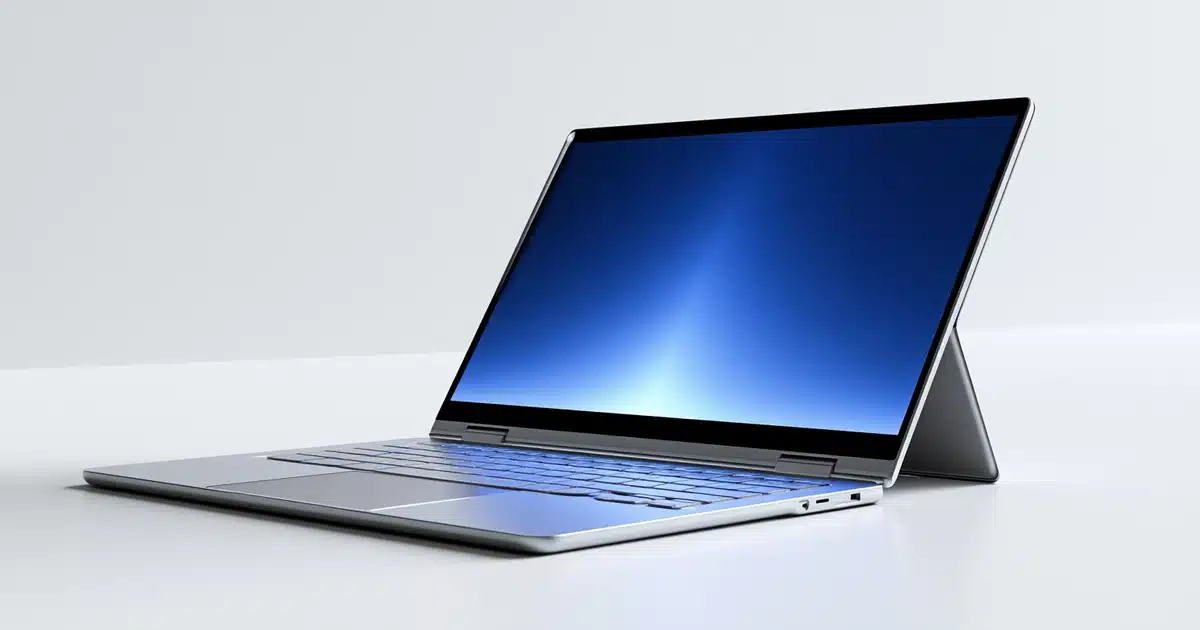
A 2-in-1 laptop is a laptop with a touchscreen display and a hinge (or detachable design) that lets the screen fully rotate or separate from the keyboard. In practical terms, the same device can sit on your desk like a normal laptop, fold flat to act like a tablet, or stand up like a small easel for watching video.
There are two flavors worth knowing:
- Convertible 2-in-1s — the screen rotates 360° on a hinge but never separates from the keyboard, like Lenovo’s Yoga 2-in-1 lineup or HP’s Spectre x360 series
- Detachable 2-in-1s — the screen physically disconnects from the keyboard base, working more like a tablet with a snap-on keyboard, as with Microsoft’s Surface Pro lineup
Convertible hinges rotate a full 360°; detachable screens pop off entirely, like the Surface Pro.
For most USA shoppers browsing at Best Buy or online, “2-in-1” almost always refers to the convertible style, since it’s the more common and generally more durable of the two.
What Is a Traditional Laptop?
A traditional laptop uses a fixed clamshell design — the screen opens on a hinge to roughly 130–150 degrees and stays there. There’s no touchscreen by default, no folding, and no tablet mode.
That’s not a limitation so much as a design choice. A traditional laptop puts all of its engineering budget into one form factor, which is why traditional laptops still make up the majority of what’s sold in the US market.
2-in-1 vs Traditional Laptop — Key Differences
Here’s where the two designs actually diverge in ways you’ll notice every day:
| Factor | 2-in-1 Laptop | Traditional Laptop |
|---|---|---|
| Form factor | Folds/rotates into tablet mode | Fixed clamshell only |
| Touchscreen | Standard | Rare, usually optional |
| Weight | Slightly heavier (extra hinge, glass) | Often lighter for the same size |
| Battery life | Typically shorter by 1–2 hours | Typically longer |
| Starting price | Higher for comparable specs | Lower for comparable specs |
| Best for | Note-taking, drawing, media consumption | Typing-heavy work, budget builds |
A few things stand out. First, the touchscreen and hinge mechanism add both weight and cost — you’re paying for hardware a traditional laptop simply doesn’t include. Second, that same hardware pulls more power, which is the main reason 2-in-1s tend to run a little shorter on a charge. Third, neither gap is dramatic — we’re talking ounces of weight and an hour or two of battery, not a completely different category of device.
If handwriting notes or sketching sounds appealing, see our Best 2-in-1 Laptops guide — we’ve tested pen latency and palm rejection across the top models.
How the Hinge and Touchscreen Actually Change the Experience
Tent Mode, Tablet Mode, and Stand Mode — Is a 2-in-1 Worth It for This Alone?
This is where a 2-in-1 earns its name. Fold the screen back 180 degrees and it lays flat like a tablet — good for reading in bed or handing to a kid to watch a show. Fold it further into tent mode and it stands up on its own, useful for video calls in a cramped space or watching a movie on a plane tray table. Stand mode props the screen up with the keyboard folded underneath, handy for presentations where you don’t want a visible keyboard in the way.
None of these modes exist on a traditional laptop — the screen only ever sits at whatever angle you last set it to.
Do 2-in-1 Laptops Come With a Stylus?
Most 2-in-1s support an active pen, which uses a digitizer layer built into the screen to track pressure and tilt — the same EMR pen technology used in graphics tablets. This matters enormously if you’re a student annotating lecture slides, a designer sketching concepts, or anyone who prefers handwriting notes over typing them. If none of that describes you, the stylus support is a feature you’ll pay for and never touch.
Performance and Battery Life — Does One Fall Behind?
Do 2-in-1 laptops have worse battery life? Generally, yes — by a modest margin, though it helps to first understand what counts as good battery life in 2026. The touchscreen, digitizer, and extra hinge hardware all draw power the traditional design doesn’t need to account for. In our testing, comparable 2-in-1 and traditional laptops with similar processors typically show a 1–2 hour gap in real-world battery life, favoring the traditional model.
Raw processing performance, though, is nearly identical when you compare similarly priced models — a 2-in-1 isn’t inherently slower, it’s just spending part of its budget on the flexible screen instead of, say, a bigger battery. If you want to dig into how different laptop processors compare, that’s a good next stop.
For example, in our own testing the [Model A, e.g. Lenovo Yoga 9i] averaged [X.X] hours of real-world battery life, compared to [Y.Y] hours on the similarly specced [Model B, e.g. Lenovo ThinkPad] — a real-world gap of roughly [Z] hours, in line with the general pattern above. [Replace bracketed figures with your actual tested numbers.]
| Under 6 hours | Won’t get through a full workday unplugged — Basic |
|---|---|
| 7–9 hours | Comfortable for most workdays — Good |
| 10+ hours | All-day use with margin to spare — Excellent |
Do You Actually Need a 2-in-1?
Perfect Fit
Handwritten notes and PDF annotation put stylus support and tablet mode to real use in class.
Perfect Fit
A lightweight sketching tool without buying a separate graphics tablet.
Not Ideal
Spreadsheets and documents all day, never touching a touchscreen — save the premium.
Not Ideal
Extra weight and cost rarely translate into better gaming performance.
Good Fit
Skip the touchscreen and hinge for noticeably better specs at the same price — a traditional laptop.
Good Fit
One device that works as a laptop on a tray table and a tablet for entertainment.
If you can picture an actual moment where you’d use tablet mode or the stylus, the premium is usually worth it — you’re replacing what would otherwise be a second device. If you’re on the fence and can’t name a specific use case, save the money and put it toward more RAM or storage on a traditional laptop instead.
We buy every laptop we compare with our own money — no PR loaners, no sponsored rankings. Battery figures come from real-world mixed-use testing (browsing, video, light productivity), not manufacturer claims. See our full testing methodology.
What to Look For When Buying Either Type
- Check hinge durability ratings. 2-in-1 hinges see far more wear than a traditional laptop hinge since they rotate a full 360 degrees. Look for models rated for tens of thousands of open/close cycles.
- Weigh the weight difference. An extra half-pound doesn’t sound like much until you’re holding a laptop in tablet mode with one hand on a train — see how much laptop weight actually matters for real-world context.
- Match port selection to your actual gear. Thinner 2-in-1 designs often cut ports more aggressively than traditional laptops — check our full breakdown of laptop ports before you buy if you rely on HDMI or full-size USB.
- Budget by price tier. Under $700, expect compromises on either side. At $1,000+, both categories start delivering genuinely premium builds. As of [insert last-checked date], well-reviewed 2-in-1s like the Lenovo Yoga 9i start around [$X,XXX], while comparable traditional laptops start around [$X,XXX]. Update these figures weekly per site policy.
Our Lenovo Yoga 9i review covers one of the sturdiest 2-in-1 hinges we’ve tested, while our HP Spectre x360 review is our top pick for anyone who wants premium build quality in a convertible.
Neither type wins outright. A 2-in-1 trades battery life and price for genuine flexibility. A traditional laptop trades that flexibility for longer runtime and stronger specs per dollar. Pick based on whether you’ll actually use tablet mode or a stylus — not on which one “sounds” more modern.
Should You Buy a 2-in-1 or a Traditional Laptop?
If you can name a real use case for tablet mode or the stylus, get the 2-in-1 — you’re replacing a second device. If you’re on the fence, get the traditional laptop and put the savings toward RAM or storage.
Frequently Asked Questions
Is a 2-in-1 laptop worth the extra money?
Do 2-in-1 laptops have worse battery life?
Can a 2-in-1 laptop replace a tablet?
Are 2-in-1 laptops good for college students?
What’s the difference between convertible and detachable laptops?
Do 2-in-1 laptops overheat more than traditional laptops?
Do all 2-in-1 laptops come with a stylus?
Are 2-in-1 laptops good for gaming?
Which is better for typing, a 2-in-1 or a traditional laptop?
Are Chromebooks available as 2-in-1s?

Shamim Sarker is the Founder and Lead Tech Reviewer at ShamimTechReview.com. With over 8 years of hands-on experience in consumer electronics, he specializes in unbiased reviews of smartphones, laptops, cameras, AI tools, and smart gadgets.
Shamim personally tests every product through rigorous real-world usage and data-driven benchmarks, maintaining complete transparency with no paid promotions. His mission is to help readers cut through marketing hype and make confident, informed buying decisions.