
Disclosure: This post contains affiliate links. We may earn a commission at no extra cost to you. We only recommend products we’ve tested and trust.
Buyers Guide

A mini PC is a full desktop computer built into a compact chassis, usually 4–5 inches per side, powered by laptop-grade or desktop-class Intel Core or AMD Ryzen chips. In 2026, a mini PC is worth buying for office work, media, and light gaming — but skip it if you need heavy gaming performance or hardware you can upgrade down the road.
- 2026 mini PCs now ship with the same silicon as $1,000+ laptops, including AMD’s Ryzen 9 8945HS and Intel’s Core Ultra 9 185H.
- A small but growing number of 2026 models pack a discrete GPU — including a low-profile RTX 5060 — enabling real 1080p–1440p gaming.
- Usable models now start under $200, while flagship-tier Ryzen 9 configurations sit at the top of the market.
- Most mini PCs draw just 10-65 watts under typical use, versus 200-500+ watts for a gaming desktop tower.
- GEEKOM and Minisforum lead the category for build quality and support; Beelink has improved significantly; ASUS’s NUC line targets business buyers.
What Is a Mini PC? A Quick Definition
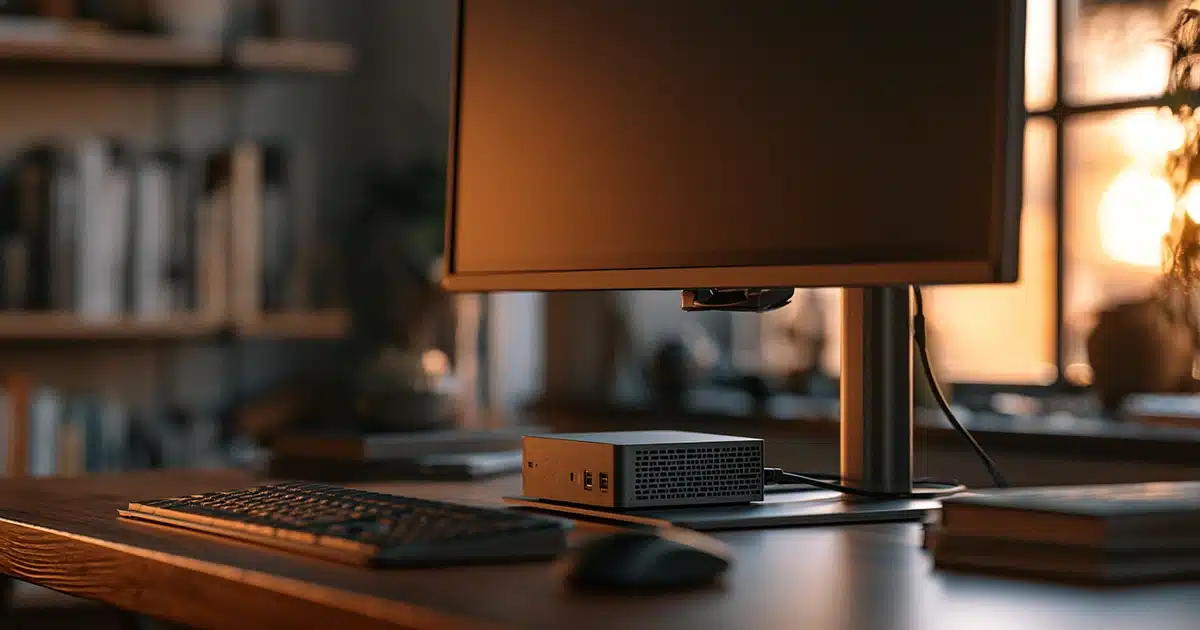
If you’ve ever stared at the tower under your desk and wondered why a computer needs to be that big, you’re not alone. A mini PC is exactly what it sounds like: a complete desktop computer shrunk down into a chassis small enough to fit in one hand or sit flat behind a monitor on a VESA mount. Despite the size, it’s not a stripped-down version of a computer — most models run the same CPUs found in mainstream laptops, paired with real RAM, real SSD storage, and a full copy of Windows 11 or Linux.
- Processor: Intel Core (N-series for budget models, Core Ultra/i5/i7 for mid-to-high-end) or AMD Ryzen (5000U through 8000-series and beyond)
- Memory: 8GB to 32GB of RAM, usually DDR4 or LPDDR5, sometimes soldered
- Storage: M.2 NVMe SSD, ranging from 256GB to 2TB
- Graphics: Integrated graphics on most models (Intel Iris Xe, AMD Radeon 780M), though a growing number of 2026 models now pack a discrete GPU
- Connectivity: Multiple HDMI/DisplayPort/USB-C outputs, USB-A ports, Wi-Fi 6/6E, sometimes 2.5GbE Ethernet
What makes a mini PC different from a laptop is the absence of a built-in screen, keyboard, trackpad, and battery — you supply your own monitor, keyboard, and mouse. What makes it different from a traditional tower is the missing bulk: no full-size power supply, no room for multiple drive bays, and in most cases, no discrete graphics card (though that’s starting to change).
How Mini PCs Have Changed for 2026
If your mental image of a mini PC is a $150 box that struggles to play a YouTube video without stuttering, it’s time to update it. The market has moved fast.
2026 is arguably the first year where “which mini PC should I buy” is a more useful question than “should I just buy a regular desktop instead.”
If you’ve already decided a mini PC fits your needs, jump straight to our Best Mini PCs of 2026 roundup for specific picks by budget and use case.
Who Should Buy a Mini PC in 2026?
Perfect Fit
Spreadsheets, video calls, browser tabs, and document editing run silently on a mid-range Ryzen 5/7 or Core i5 model with 16GB RAM.
Perfect Fit
Quiet, cool-running, and often supports multiple 4K outputs — a natural fit for a TV-connected media hub or streaming box.
Good Fit
Research, note-taking, video lectures, and casual gaming get more than enough performance, usually for less than an equivalent laptop.
Good Fit
Compact, low-power, and easy to mount out of sight — popular for reception desks, POS terminals, and shared workstations.
Good Fit
Older titles and esports games like CS or League run well at 1080p on a Radeon 780M or discrete-GPU model. Many also support SteamOS or Bazzite.
Good Fit
Virtual machines, Docker containers, and home-server workloads are well within reach of 32GB+ RAM models.
See our Best Home Office Setups of 2026 guide for full desk-and-hardware pairings built around a mini PC.
Who Should NOT Buy a Mini PC
This is the part most buying guides skip, because they’re trying to sell you a specific model. Here’s when a mini PC is the wrong call.
- You need serious gaming performance. Even with discrete-GPU models entering the market, they remain a small, expensive niche. A proper desktop tower or gaming laptop beats a mini PC on price-to-performance for 1440p/4K gaming at high settings.
- You do heavy creative or compute work. 4K/8K video editing, 3D rendering, or serious machine learning need sustained thermal headroom a mini PC’s compact chassis can’t provide without throttling.
- You want to upgrade over time. Most mini PCs can’t have their CPU or GPU swapped, and some budget/mid-range models solder the RAM directly to the board.
- You need extensive internal storage. Mini PCs typically fit one, maybe two drives. Large local media libraries or RAID storage call for a tower or a dedicated NAS instead.
- You’re extremely budget-constrained and need raw power. At the very bottom of the price range, weak dual-core chips and minimal RAM mean a well-chosen older desktop tower can outperform an ultra-budget mini PC for the same money. See our Best Mini PC Under $300 guide for vetted picks.
Mini PC vs. Laptop vs. Desktop Tower
| Feature | Mini PC | Laptop | Desktop Tower |
|---|---|---|---|
| Portability | Low (needs monitor/power) | High (all-in-one) | None |
| Upgradeability | Very limited | Very limited | High ✓ |
| Gaming performance | Low–Moderate (rare high-end) | Moderate–High | Highest ✓ |
| Noise level | Very quiet ✓ | Quiet | Varies (can be loud) |
| Price for performance | Strong at mid-range | Higher for same specs | Best raw value ✓ |
| Desk footprint | Minimal ✓ | Minimal ✓ | Large |
| Best for | Office, media, light gaming | On-the-go work | Gaming, creative work, upgrades |
The short version: a mini PC sits in a sweet spot between “I need this to be portable” (laptop) and “I need maximum, upgradeable power” (tower). For a deeper look at that first trade-off, see our full Desktop vs Laptop comparison. If neither of those is your priority, the mini PC is often the smartest buy of the three.
What to Look For Before Buying
If you’ve decided a mini PC fits your needs, here’s what actually matters when comparing models.
Power consumption is one of the mini PC’s biggest quiet advantages: most models draw 10-65 watts under typical use, compared to 200-500+ watts for a gaming desktop tower. Run a machine 24/7 as a home server or media box, and that difference adds up on your electric bill over a year.
| Budget tier | Under $300 — Intel N-series, 16GB RAM |
|---|---|
| Mid-range tier | $400–$700 — Ryzen 7 8000-series or Core Ultra 5, 32GB RAM, socketed memory |
| Discrete-GPU tier | $700+ — Listed dedicated GPU for 1080p–1440p gaming |
Quick Picks: Where to Start Looking
If you’d rather start shopping than keep reading, here’s where to look based on budget.
Budget Pick (Under $300)
An entry-level GEEKOM or Beelink model with an Intel N-series chip and 16GB RAM covers office work and streaming comfortably.
Mid-Range Pick ($400–$700)
Look for a Ryzen 7 8000-series or Core Ultra 5 chip with 32GB RAM and a socketed (upgradeable) memory slot.
Discrete-GPU Pick (Light Gaming)
If 1080p–1440p gaming matters, look specifically for a listed dedicated GPU (not just “gaming-capable integrated graphics”) in the spec sheet.
Expert Verdict
A mini PC in 2026 is a genuinely smart buy for the majority of everyday computer users — office workers, students, media enthusiasts, and light gamers will all be well served by a mid-range model, often for less money and desk space than the alternatives. The category has matured past its “budget compromise” reputation, especially with the arrival of discrete-GPU models for light gaming. That said, it’s not the right choice for anyone who wants long-term upgradeability, needs serious gaming or creative horsepower, or requires heavy local storage.
Should You Buy a Mini PC in 2026?
Know which camp you’re in before you buy, and the mini PC decision becomes an easy one. If your daily computing revolves around office work, streaming, light gaming, or general productivity, a well-specced mini PC will handle it quietly, efficiently, and at a fraction of the desk space of a tower.
Frequently Asked Questions
What is a mini PC used for?
Are mini PCs as powerful as regular desktops?
Can mini PCs be upgraded?
Is AMD or Intel better for a mini PC?
Can a mini PC play video games?
How long do mini PCs last?
Do I need a separate monitor, keyboard, and mouse?
Are mini PCs good for working from home?
Which brands make the most reliable mini PCs?

Shamim Sarker is the Founder and Lead Tech Reviewer at ShamimTechReview.com. With over 8 years of hands-on experience in consumer electronics, he specializes in unbiased reviews of smartphones, laptops, cameras, AI tools, and smart gadgets.
Shamim personally tests every product through rigorous real-world usage and data-driven benchmarks, maintaining complete transparency with no paid promotions. His mission is to help readers cut through marketing hype and make confident, informed buying decisions.