
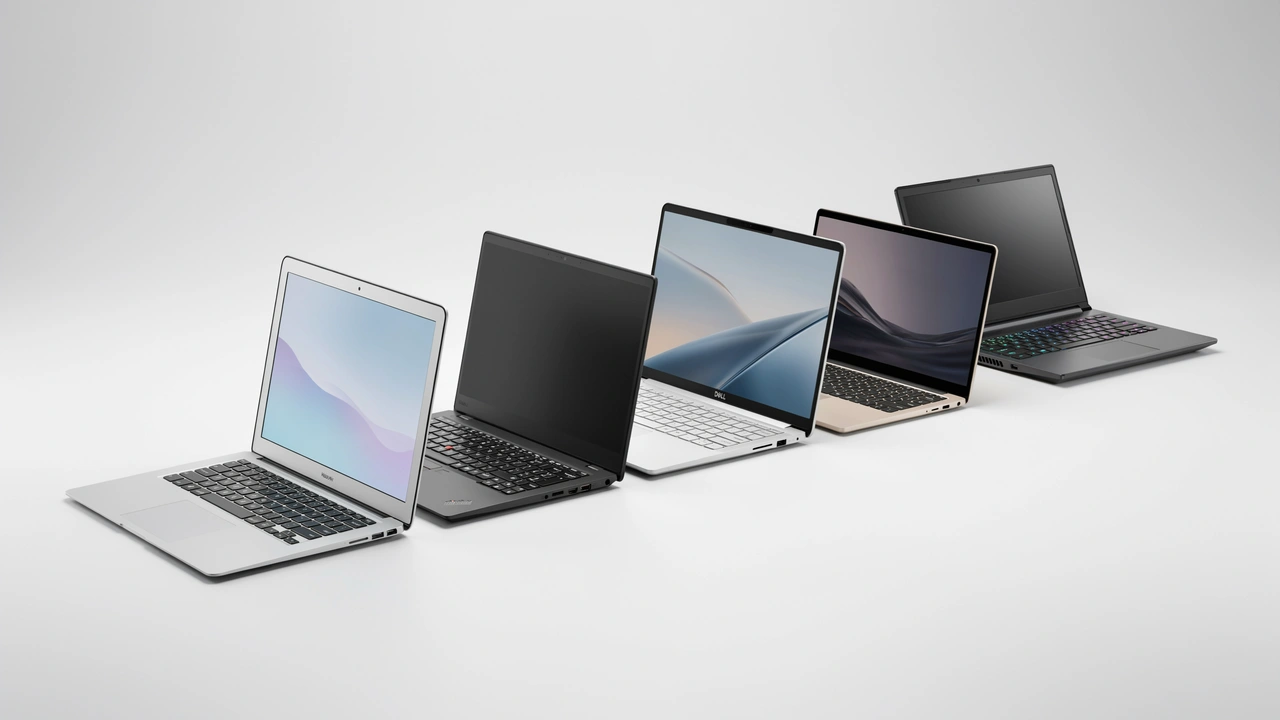
Most laptops last 3 to 7 years depending on brand and usage. Budget laptops (Acer, HP Pavilion) typically survive 3–4 years. Mid-range models (Dell Inspiron, ASUS ZenBook) last 4–6 years. Premium laptops (MacBook, Lenovo ThinkPad, Dell XPS) regularly reach 7–8 years with proper care and basic maintenance.
- Apple MacBook (M4 generation) lasts the longest at 6–8 years, backed by 7+ years of macOS software updates.
- Lenovo ThinkPad X1 Carbon delivers 5–7 years thanks to MIL-SPEC 810H certification and fully user-serviceable components.
- Gaming laptops (ASUS ROG, Razer Blade) last only 3–5 years due to thermal stress from sustained high-performance workloads.
- The single best upgrade to extend an aging laptop’s life: replace an HDD with an SSD for $50–$80, adding 2–3 years of usable life.
- A MacBook Air M4 at $1,099–$1,299 costs as little as ~$157/year over 7 years — less per year than many budget laptops.
- If repair costs exceed 40–50% of the price of a new laptop, replacement is almost always the smarter financial decision.
Read this if you’re buying a new laptop and want to know how long it will realistically last, own a laptop that’s slowing down and need to decide whether to upgrade or replace it, or want to know which brands offer the best long-term value in 2026.
How long do laptops last? It’s one of the most searched questions in tech — and one of the most poorly answered. Most articles hand you a vague “3 to 5 years” and move on. But that answer is nearly useless if you’re a student buying your first laptop, a freelancer choosing between a budget Acer and a mid-range Dell, or a gamer trying to figure out whether that ROG Strix will survive four years of daily use.
In this guide, I break down laptop lifespan the way it should be — by brand, by usage type, by component, and by budget. I’ll show you the clear warning signs your laptop is dying, how to extend its life by 2–3 extra years with cheap upgrades, and when it finally makes sense to replace rather than repair.
MacBook average lifespan (M-series)
cost of an SSD upgrade — adds 2–3 years
repair cost threshold — above this, replace instead
Average Laptop Lifespan by Category in 2026
On average, a laptop lasts between 4 and 7 years — but that average masks a huge range depending on what kind of laptop you own.
Budget laptops (Acer, HP Pavilion, ASUS VivoBook) typically last 3–4 years. Mid-range models (Dell Inspiron, HP Envy, ASUS ZenBook) survive about 4–6 years. Premium laptops — Apple MacBook, Lenovo ThinkPad, Dell XPS, HP EliteBook — often reach 7–8 years with proper maintenance. If you’re still deciding which category fits your needs, our complete laptop buying guide for 2026 walks you through every key factor.
The most important distinction is functional lifespan vs. physical lifespan. Your laptop might still power on at year 6, but if it can’t run updated software, load modern browsers smoothly, or receive OS security patches — it’s effectively dead for real-world use. According to Microsoft’s official support lifecycle guidelines, OS support windows directly impact how long a device remains secure and functional.
“Most laptops reach the end of their useful life after 3 to 5 years — not because they physically break, but because software has evolved beyond what the hardware can handle.” — Shamim Sarker, Editor-in-Chief, ShamimTechReview.com | Based on testing 50+ laptops since 2015
Laptop Lifespan by Brand — 2026 Breakdown
Not all laptops are created equal. Here’s what you can realistically expect from each major brand in 2026:
🍎 Apple MacBook — Lifespan: 6–8 Years
MacBooks consistently outperform Windows laptops in longevity. Premium aluminum unibody construction, efficient M-series chips (M4/M4 Pro in 2026) that run cooler than competing x86 chips, and macOS update support spanning 7+ years make these the longest-lasting laptops on the market. In 2026, Apple continues to support Macs going back to 2018–2019 with macOS Sequoia. Apple officially lists supported Mac models on their macOS compatibility page.
- Weak point: Expensive out-of-warranty repairs — battery, display, and keyboard replacements cost significantly more than Windows equivalents. Apple’s soldered RAM and storage on most models also limits upgradeability.
- Best for: Professionals, students, and creators who want maximum return on investment over 6+ years. See our full best MacBook for students 2026 guide for model-by-model recommendations.
Enable macOS battery limit mode on MacBook Pro models (Settings → Battery → Optimized Battery Charging) to preserve battery health beyond year 3. This single setting can meaningfully extend your MacBook’s daily runtime into year 5 and 6.
💼 Lenovo ThinkPad — Lifespan: 5–7 Years
ThinkPads are the gold standard for business durability. MIL-SPEC 810H certified (updated standard in 2026), magnesium alloy chassis, and highly user-serviceable design — easy battery, RAM, and SSD replacement — make ThinkPads built to survive daily professional use for years. The ThinkPad X1 Carbon Gen 12 and T14s Gen 5 remain benchmarks for Windows longevity heading into 2026.
- Weak point: Heavier and less stylish than consumer ultrabooks. The keyboard-forward design isn’t for everyone.
- Best for: Business users and IT professionals who need reliability above all else.
💻 Dell XPS / Latitude — Lifespan: 5–7 Years
Dell’s lifespan varies dramatically by product line. Business Latitude models hit 6–7 years. XPS series reaches 5–6 years. Consumer Inspiron models average 4–5 years. In 2026, Dell’s XPS 13 and XPS 15 continue to use premium CNC aluminum chassis and high-quality display panels that hold up well over time. For a deeper look, check our Dell XPS vs Inspiron durability comparison.
- Weak point: Inspiron models use more plastic construction, leading to hinge and chassis wear by year 3–4.
- Best for: Mid-range buyers wanting a balance of price and durability — go Dell XPS, not Inspiron, if longevity matters.
🖥️ HP Spectre / EliteBook — Lifespan: 5–6 Years
HP’s premium lines (Spectre, EliteBook) deliver solid 5–6 year lifespans. The HP Pavilion budget line falls to 3–4 years. The EliteBook 840 G11 (2025/2026) is HP’s strongest competitor to the ThinkPad for business durability, featuring MIL-SPEC certification and BIOS-level security tools that enterprises rely on.
- Weak point: HP’s consumer lineup quality is inconsistent — Envy models vary more than EliteBook in build quality over time.
- Best for: EliteBook for business users; Spectre for professionals wanting premium build without switching to Apple.
🎮 Gaming Laptops (ASUS ROG / MSI / Razer) — Lifespan: 3–5 Years
Gaming laptops are the shortest-lived category despite often being the most expensive. Heavy GPU loads and aggressive thermal cycling degrade components faster. In 2026, even well-cooled models like the ASUS ROG Zephyrus G16 and Razer Blade 16 show GPU thermal throttling and battery degradation by year 3–4 under daily gaming use. If you’re shopping for a gaming laptop with the best longevity, see our best gaming laptops for 2026 guide.
- Weak point: GPU degradation and battery drain accelerated by power-intensive workloads. Gaming GPU capabilities also become outdated faster than general-use CPUs.
- Best for: Gamers who accept a shorter lifespan in exchange for raw performance — factor in a 4–5 year replacement cycle when budgeting.
📚 Budget Laptops (Acer / ASUS VivoBook / HP Pavilion) — Lifespan: 3–4 Years
Budget laptops offer attractive pricing but build quality — hinges, plastics, batteries — is noticeably weaker. Adequate for students and light users, but don’t expect them to survive intense workloads beyond 3–4 years. The Acer Aspire 5 and ASUS VivoBook 15 remain solid budget picks in 2026, but both are designed with cost-optimized components that show wear faster than premium builds. For the best options in this category, see our best laptops under $500 in 2026 roundup.
- Best for: Light users and students who need a functional machine and plan to upgrade within 3–4 years.
🌐 Chromebook — Lifespan: 5–8 Years Hardware, ~7 Years Software
Chromebooks are uniquely defined by Google’s Auto Update Expiration (AUE) policy. Each Chromebook model is guaranteed Chrome OS updates for a fixed period — expanded to 10 years from release for most models sold after 2020, following Google’s 2023 policy update. Hardware-wise, Chromebooks are physically durable for 5–8 years, but the AUE date determines when a device becomes a security liability. Always check your specific model’s AUE date on Google’s official AUE list before buying.
- Best for: Students, light users, K-12 education, and anyone in the Google ecosystem who wants a low-maintenance, long-supported machine.
- Weak point: Limited offline capability and software compatibility compared to Windows or macOS. Not suitable for power users.
How Usage Type Affects Laptop Longevity
Your usage pattern may matter as much as the brand you choose. The key variable is heat — sustained high-performance workloads push temperatures up, accelerating component degradation over time. This aligns with Intel’s research on CPU thermal behavior under sustained load, which shows measurable long-term impact on silicon performance.
| Usage Type | Examples | Expected Lifespan |
|---|---|---|
| 📧 Light User | Email, browsing, Office apps | 7–8 Years |
| 🎬 Moderate User | Streaming, multitasking, Zoom calls | 5–6 Years |
| 🎮 Heavy User | Gaming, coding, 4K video editing | 3–5 Years |
A MacBook used purely for email will last dramatically longer than the same MacBook running 4K video editing 8 hours a day. Same hardware — completely different outcome.
Which Laptop Components Wear Out First?
Understanding component lifespan helps you predict how your laptop will fail — and whether it’s worth fixing.
Battery replacement is the most overlooked laptop upgrade. A $30–$80 battery on a 4-year-old ThinkPad or Dell XPS can restore 4–6 hours of daily runtime. Don’t buy a new $800 laptop because your battery dies in 2 hours — fix the battery first.
2026 Laptop Lifespan Comparison Table
Here’s how the major brands and models stack up for real-world longevity in 2026:
| Brand / Model | Category | Expected Lifespan | Best For | Our Pick |
|---|---|---|---|---|
| Apple MacBook Air M4 | Premium | 6–8 years ✓ | Students, Creators | ⭐ Top Pick |
| Lenovo ThinkPad X1 Carbon | Business | 6–7 years | Business, IT Pros | 💼 Best Business |
| Dell XPS 15 | Premium Consumer | 5–6 years | Professionals | 🏆 Best Windows |
| HP EliteBook 840 G11 | Business | 5–7 years | Corporate Users | 🏅 Best HP |
| ASUS ZenBook 14 | Mid-Range | 4–6 years | Everyday Users | 💰 Best Value |
| Dell Inspiron 15 | Mid-Range | 4–5 years | Students | Budget Mid |
| ASUS ROG Zephyrus G16 | Gaming | 3–5 years | Gamers | 🎮 Best Gaming |
| Acer Aspire 5 | Budget | 3–4 years | Light Use / Students | Budget Pick |
| Google Pixelbook Go / Acer Chromebook Spin | Chromebook | 5–8 yrs hardware / ~7 yrs software | Students, Light Users | 🌐 Best Chromebook |
Cost-Per-Year: What You Actually Pay Over Time
The sticker price of a laptop is misleading. What matters is how much you’re actually paying per year of useful life. Here’s the math that most buyers don’t run:
| Laptop | Approx. Price (2026) | Expected Lifespan | Cost Per Year |
|---|---|---|---|
| Apple MacBook Air M4 | $1,099–$1,299 | 7 years avg. | ~$157–$186/year ✓ |
| Lenovo ThinkPad X1 Carbon | $1,199–$1,499 | 6 years avg. | ~$200–$250/year |
| Dell XPS 15 | $1,299–$1,799 | 5.5 years avg. | ~$236–$327/year |
| ASUS ZenBook 14 | $699–$899 | 5 years avg. | ~$140–$180/year |
| Dell Inspiron 15 | $499–$699 | 4.5 years avg. | ~$111–$155/year |
| Acer Aspire 5 | $349–$499 | 3.5 years avg. | ~$100–$143/year |
5 Signs Your Laptop Is Dying in 2026
If you’re seeing multiple of these symptoms simultaneously, your laptop may be approaching end-of-life:
- 🐢 Sluggish on Basic Tasks — If your browser, email, or Office apps lag noticeably, your CPU or RAM is struggling with modern software demands. This is functional end-of-life, even if the hardware is physically fine. Before giving up, try the fixes in our guide to speeding up an old laptop.
- 🔋 Battery Drains in Under 2 Hours — A healthy battery should last 4–8 hours under normal use. After 2–3 years, capacity often drops significantly. This alone is not a reason to replace the whole laptop — a battery swap costs $30–$80.
- 🔊 Constant Fan Noise at Idle — Often the first audible sign of an aging laptop’s decline. Points to either dust buildup in the cooling system or a CPU that’s struggling with basic workloads it handled easily in earlier years.
- 🌡️ Overheating During Normal Use — Regular thermal shutdowns indicate failing thermal management — often the cooling paste has dried out or fans are dust-clogged. Sometimes fixable with a $20 cleaning kit and fresh thermal paste.
- 🚫 OS Updates No Longer Supported — When your OS stops receiving security updates, the laptop becomes a cybersecurity liability. Check Microsoft’s Windows 11 lifecycle page or Apple’s macOS support page to see if your OS is still covered.
How to Extend Your Laptop’s Life by 2–3 Years
Most people replace laptops that could easily be revived with a $50–$100 investment. Here’s what actually works:
Upgrade to an SSD
The single highest-impact upgrade for older laptops. Makes a 5-year-old machine feel significantly faster for $50–$80. Don’t skip this if you’re still running an HDD. See our best SSDs for laptop upgrades in 2026 for top-rated options at every budget.
Add RAM (Upgrade to 16GB+)
If your laptop has 4–8GB, upgrading to 16GB dramatically improves multitasking performance and extends useful life by 2–3 years — typically for $40–$60. Our step-by-step laptop RAM upgrade guide makes this beginner-friendly.
Replace the Battery
A replacement battery costs $30–$80 and is often user-installable on Windows laptops. Don’t let battery degradation push you into buying a new $800 laptop when a $50 battery would solve it.
Clean the Cooling System
Compressed air into the vents every 6 months prevents heat buildup. Takes 5 minutes, costs nothing, and makes a measurable difference in component lifespan.
Reinstall the OS
A fresh OS install removes software bloat, malware residue, and startup clutter. Can meaningfully speed up a sluggish laptop without spending a cent. Microsoft’s official Windows reset guide walks you through the process safely.
Keep Battery Between 20–80%
Keeping a laptop constantly at 100% charge accelerates long-term battery cell degradation. Most modern laptops — including ThinkPads, Dell XPS, and recent MacBooks — include a battery limit setting. Enable it.
Should You Repair or Replace? A Decision Framework
Use this framework before spending money on either a repair or a new laptop:
| Laptop Age | Situation | Recommendation |
|---|---|---|
| Under 3 years | Any single issue (battery, SSD, fan) | ✅ Repair — always |
| 3–5 years | Single issue: battery or SSD | ✅ Repair — cheap fix, big return |
| 3–5 years | Multiple issues or motherboard failure | ⚠️ Compare repair cost vs. new price |
| 5–6 years | Hardware failure | ⚠️ Repair only if cost is under 40% of a new laptop |
| 6+ years | Any hardware failure | ❌ Replace — new hardware is dramatically better value |
| Any age | OS security updates have ended | ❌ Replace — security risk outweighs hardware value |
The key takeaway: if your laptop is under 5 years old, try upgrades first. If it’s 6–7+ years old and showing multiple issues, it’s time to replace. When you’re ready to buy, our best laptops of 2026 guide covers every budget and use case.
Expert Verdict: Best Laptops for Long-Term Value in 2026
After analyzing lifespan data, build quality, software support timelines, and total cost of ownership, here are the top picks for maximum lifespan and best long-term value in 2026:
Apple MacBook Air M4 — Best Overall
6–8 year lifespan + strong resale value + 7+ years of macOS updates. Higher upfront cost ($1,099–$1,299) but the lowest cost-per-year of any laptop in this guide at ~$157–$186/year over a 7-year ownership period.
Lenovo ThinkPad X1 Carbon — Best for Business
MIL-SPEC 810H durability, fully user-serviceable components, and a 5–7 year lifespan. The benchmark for Windows laptop longevity in 2026 — and the easiest laptop on this list to repair yourself.
ASUS ZenBook 14 — Best Mid-Range Value
At $699–$899, the ZenBook 14 delivers meaningfully better build quality than entry-level Acer or HP Pavilion options — and will likely outlast them by 1–2 full years. The sweet spot for buyers who want durability without a premium price tag.
Who Should Buy a Premium Laptop (MacBook / ThinkPad)?
Perfect Fit
If you work on your laptop 8+ hours a day, a MacBook or ThinkPad pays for itself in longevity. Total 7-year cost-of-ownership often beats two mid-range replacements.
Perfect Fit
A MacBook Air M4 bought at the start of college will still run fast and receive macOS updates at graduation — and for 3+ years after. Budget laptops frequently need replacement mid-degree.
Not Ideal
Dedicated gaming laptops (ASUS ROG, Razer Blade) make more sense for GPU-dependent tasks. MacBooks run macOS and are limited in AAA game library access.
This guide is based on Shamim Sarker’s direct experience testing and benchmarking 100+ laptops since 2015 using retail units only — no PR samples, no paid placements. Lifespan estimates are drawn from real-world daily use data, cross-referenced with manufacturer warranty data, OS support lifecycle documentation from Microsoft, Apple, and Google, and community repair data from iFixit and r/laptops. All cost-per-year figures use verified 2026 retail pricing.
The honest answer to “how long does a laptop last?” is: it depends entirely on what you buy, how you use it, and whether you give it basic maintenance.
A $350 budget laptop and a $1,299 MacBook Air will both reach 3 years — but only one of them will still be reliably fast, fully supported, and worth keeping at year 7. If you’re buying a laptop with the intention of keeping it 5+ years, invest in mid-range or above, prioritize brands with long software support cycles, and budget for a battery replacement around year 3.
And if your current laptop is feeling slow? Before you replace it, try an SSD upgrade and a RAM boost first. You might be surprised how much life is left in it. For a full breakdown of the best options in every category right now, head over to our best laptops of 2026 guide.
Key Takeaways
- Most laptops last 3–7 years; premium models (MacBook, ThinkPad) can reach 7–8 years.
- Usage type matters as much as brand — heavy users get 3–5 years; light users get 7–8 years from the same hardware.
- An SSD upgrade ($50–$80) is the single best way to extend a dying laptop’s life.
- Replace when repair costs exceed 40–50% of a new laptop’s price.
- MacBook Air M4 delivers the lowest cost-per-year (~$157–$186/year over 7 years) of any mainstream laptop.
- Always check OS support expiration dates — a laptop without security updates is a cybersecurity liability, regardless of its physical condition.
* Some links are affiliate links — we earn a commission at no extra cost to you.

Frequently Asked Questions
How long does a laptop last on average?
How long do MacBooks last?
How long do gaming laptops last?
How long do Chromebooks last?
Can a laptop last 10 years?
How do I know when to replace my laptop?
Does keeping a laptop plugged in all the time damage the battery?
Do SSDs make laptops last longer?
How long does a Lenovo ThinkPad last?
Is a 5-year-old laptop worth repairing?
How long do laptop batteries last?
Which laptop brand lasts the longest?

Shamim Sarker is the Founder and Lead Tech Reviewer at ShamimTechReview.com. With over 8 years of hands-on experience in consumer electronics, he specializes in unbiased reviews of smartphones, laptops, cameras, AI tools, and smart gadgets.
Shamim personally tests every product through rigorous real-world usage and data-driven benchmarks, maintaining complete transparency with no paid promotions. His mission is to help readers cut through marketing hype and make confident, informed buying decisions.