
Disclosure: This post contains affiliate links. We may earn a commission at no extra cost to you. Our recommendations are based on manufacturer specs and trusted published research.
Comparison

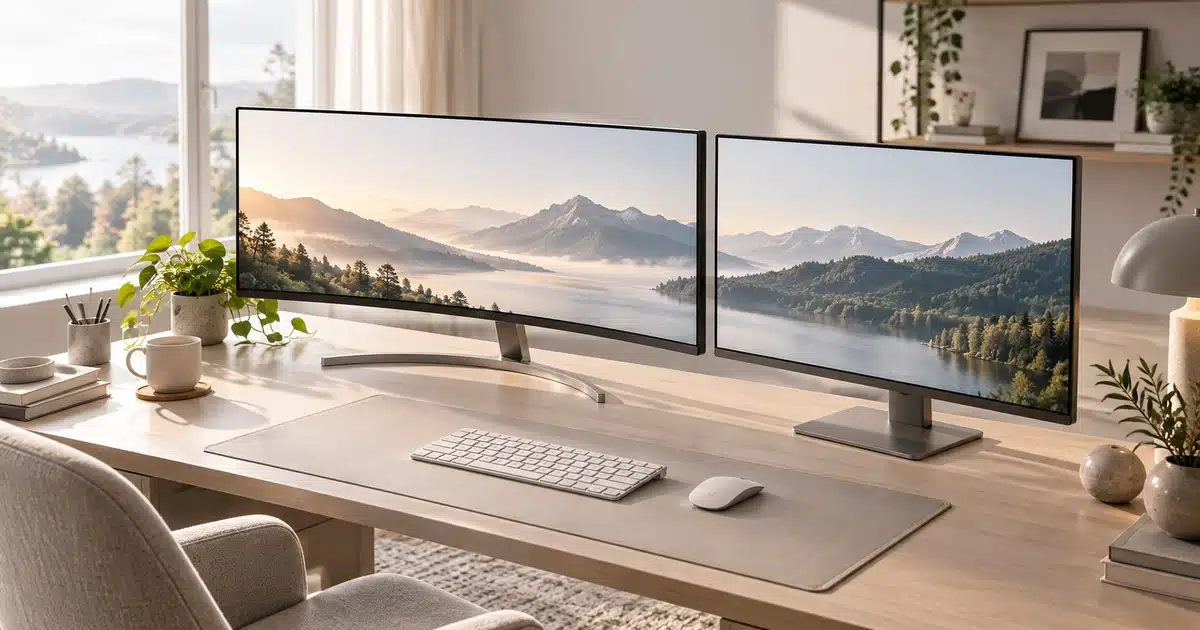
Neither is better for everyone. A curved monitor is the better pick for 34-inch and wider ultrawides, immersive games, and one-screen multitasking. A flat monitor wins at 27 inches and under, and for competitive shooters, color-critical design work, wall mounting, and multi-monitor setups. Your screen size and main use decide it.
- A curvature rating is a radius in millimeters: 1000R curves along a circle about 39 inches across in radius, while 1800R is gentler at about 71 inches. The lower the number, the steeper the curve.
- According to DisplayNinja and LG, curves pay off at 34 inches and wider; on 24- and 27-inch screens, the usual 1500R–1800R curve is hard to notice.
- Newegg’s 2026 guide reports that pro esports players overwhelmingly use flat 24- to 27-inch 16:9 monitors.
- A 2016 Mass Eye and Ear study of 27 adults found fewer eye complaints but more body fatigue on a 34-inch curved screen, with no significant difference in average symptoms.
- At recent US prices, about $300 buys either the curved 34-inch Alienware AW3425DWM (on sale) or the flat 32-inch Dell 32 Plus S3225QS 4K.
You’ve narrowed it down to two monitors. Same size, same refresh rate, nearly the same price. The only real difference is that one is curved and one isn’t, and now you’re stuck.
The product pages don’t help much. Brands that sell curved panels, like ViewSonic, say the curve eases eye strain and pulls you deeper into games. Yet esports pros still overwhelmingly play on flat screens.
The real answer comes down to three details: how big your screen is, how you’ll use it, and how much desk you have. This guide pulls together manufacturer specs, independent lab publications, and a published eye-strain study so you can make the call in minutes, not weekends.
Curved Monitor
Best for 34-inch+ ultrawides, immersive games, and one-screen multitasking
Flat Monitor
Best for 24–27 inches, esports, color-critical work, and multi-monitor setups
Choose a flat monitor if you’re buying 27 inches or smaller, you play competitive shooters or game only on PS5/Xbox, you do design or photo work, or you plan to wall-mount or run multiple monitors.
Curved vs Flat Monitor: The Key Differences at a Glance
Before getting into curvature numbers and screen sizes, here’s how the two shapes stack up side by side. Start here if you only have two minutes.
We didn’t test these monitors hands-on for this article. Instead, we compared manufacturer spec sheets and buying guides (Samsung, LG, BenQ, ViewSonic), independent lab publications like RTINGS, retailer guides from Newegg and Micro Center, and a 2016 eye-strain study presented at the Society for Information Display’s Display Week. Claims are tagged by source: Manufacturer Spec means it comes from a brand’s own materials and wasn’t independently verified. Third-Party Published means it comes from an outside lab, retailer guide, government agency, or study.
| Factor | Curved Monitor | Flat Monitor | Winner |
|---|---|---|---|
| Immersion | Screen edges wrap into your peripheral vision ✓ | Standard, “window on a desk” view | Curved |
| Field of view | Most are ultrawide (21:9 or 32:9) ✓ | Mostly standard widescreen (16:9) | Curved |
| Eye comfort | Some study evidence of fewer eye complaints | Comfortable at 24–27 inches | Slight edge: Curved (limited evidence) |
| Competitive gaming | Slight edge bending; bigger sizes mean more eye travel | Straight lines, whole screen in central vision ✓ | Flat |
| Design & color work | Straight lines can look bent | Accurate geometry, more uniform color ✓ | Flat |
| Multi-monitor & wall mounting | Awkward to line up; sticks out from a wall | Tiles cleanly; mounts flush ✓ | Flat |
| Price | Usually costs more at the same size | More budget models to choose from ✓ | Flat |
| Best screen sizes | 34 inches and up | 24 to 32 inches | Depends on size |
Sources: ViewSonic (Manufacturer Spec), Micro Center and Newegg (Third-Party Published). The eye-comfort row is covered in detail in the eye strain section.
What Are the Pros and Cons of a Curved Monitor?
Curved Monitor Pros
- More immersive on 34-inch and wider screens, since the edges wrap into your peripheral vision
- Keeps the far edges of an ultrawide easier to see without turning your head
- One curved ultrawide can replace a two-monitor setup, with no bezel down the middle
- Often costs about the same as a flat model at budget and mid-range prices
Curved Monitor Cons
- Harder to wall-mount or line up in a multi-monitor setup
- Picks up glare from more light sources in a room
- Straight lines can look slightly bent, which matters for design and CAD work
- Adds little you’ll notice at 27 inches and under
The short version: curved wins on immersion and width, while flat wins on most practical factors. To see where you land, start with the one spec every curved monitor lists: its curvature rating.
What Do Curvature Ratings (1000R, 1500R, 1800R) Actually Mean?
Every curved monitor lists a number followed by the letter R, and that number decides how much curve you actually get. It’s also one of the easiest specs to misread.
How Does the “R” Number Work?
The R stands for radius. DisplayNinja explains that if you lined up enough identical monitors to form a full circle, the rating is that circle’s radius in millimeters. So an 1800R screen is a slice of a circle with a 1,800 mm (about 71-inch) radius. (Third-Party Published)
The lower the number, the steeper the curve. Here’s how the common ratings compare, from steepest to most subtle:
| 1000R | ~39-inch radius. Steep and the most immersive; common on gaming ultrawides |
|---|---|
| 1500R | ~59-inch radius. A moderate curve found on many mainstream models |
| 1800R | ~71-inch radius. Gentle; an easy step up from a flat screen |
| 3800R | ~150-inch radius. Subtle; you’ll notice it mostly from the side |
Do You Have to Sit at the Curve’s Radius?
Here’s where brand guides disagree. Samsung’s Australian buying guide says a 1500R monitor is best viewed from about 1.5 meters (about 59 inches). BenQ says viewing distance is no different from a flat monitor. (Manufacturer Spec)
Both are partly right. If you sit exactly at the radius, every point on the screen is the same distance from your eyes. But OSHA recommends sitting 20 to 40 inches (50 to 100 cm) from your screen, and 1800R works out to about 71 inches. (Third-Party Published)
So you’ll almost always sit closer than the radius, and that’s fine. The edges still bend toward you compared with a flat panel. Sit where you’d sit for any monitor. A steeper curve like 1000R simply lines up more closely with a normal desk distance.
At a normal desk distance, you sit inside the radius of any common curve. Steeper curves like 1000R come closest to matching where you actually sit.
Curvature is only half the story, though. The same 1800R curve can feel dramatic on one monitor and pointless on another, depending on screen size.
Does Screen Size Change the Answer?
Screen size is the single biggest factor in this decision. A curve that feels natural on a wide screen can feel like a gimmick on a small one.
LG’s Malaysia site notes that curved monitors generally work better at 30 inches and up, where the screen can actually wrap around you. (Manufacturer Spec) DisplayNinja makes a similar point: 24- and 27-inch curved models usually use gentle 1500R or 1800R curves that are hard to notice at that size. (Third-Party Published)
The picture flips on ultrawides. On a 34-inch or wider screen, the curve pulls the far edges back toward your eyes, so you’re not turning your head to read the corners.
Rule of thumb: under 30 inches, buy flat unless you just like the look. At 34 inches and wider, buy curved. 32 inches is the gray zone.
| Screen Size | Typical Curve | Approx. Screen Width | Is Curved Worth It? |
|---|---|---|---|
| 24″ (16:9) | Flat, or 1500R–1800R | ~21 in (53 cm) | No, curve is barely noticeable |
| 27″ (16:9) | Flat, or 1500R–1800R | ~23.5 in (60 cm) | Rarely, mostly personal preference |
| 32″ (16:9) | Flat, or 1000R–1800R | ~28 in (71 cm) | Maybe, noticeable but not necessary |
| 34″ ultrawide (21:9) | 1000R–1800R | ~31.5 in (80 cm) | Yes, curved is the better choice ✓ |
| 49″ super ultrawide (32:9) | 1000R–1800R | ~47 in (120 cm) | Yes, a curve is close to essential ✓ |
Screen widths are calculated from each size’s diagonal and aspect ratio and don’t include bezels or stands. Curve ranges and “worth it” guidance draw on DisplayNinja and Newegg. (Third-Party Published)
Check your desk before you check out. A 49-inch super ultrawide is about 47 inches wide, nearly 4 feet, before you count the stand. Measure your desk and leave some room on each side.
With size settled, the next question is how you’ll actually use the screen, starting with gaming.
Curved vs Flat Monitor for Gaming
Once you know your screen size, the kind of games you play settles most of what’s left. Gamers are the audience curved monitors were built for, but they aren’t the right pick for every gamer.
Are Curved Monitors Better for Immersive Games, Racing Sims, and Flight Sims?
For open-world adventures, racing titles, and flight simulators, a curve makes the game world feel like it wraps around you. Newegg’s 2026 guide says the effect is strongest on curved screens of 33 inches and up. (Third-Party Published)
Pair that with an ultrawide 21:9 panel and you see more of the game world, too. One catch: not every PC game supports ultrawide, and Micro Center points out that unsupported titles show black bars on the sides. (Third-Party Published)
Should Competitive and Esports Players Go Flat?
If you play Valorant, Counter-Strike 2, or other fast shooters, flat wins. Newegg reports that professional esports players overwhelmingly use flat 24- to 27-inch 16:9 monitors. (Third-Party Published)
The reason is simple. A smaller flat screen keeps the whole image inside your central vision, and straight lines stay straight when you’re tracking targets.
Do Curved Ultrawides Work With PS5 and Xbox?
Console gamers often miss this detail. How-To Geek explains that consoles are designed to output a standard 16:9 picture, so an ultrawide shows black bars on each side. (Third-Party Published)
That’s still the case in 2026. Monitor maker KTC confirms that the PS5 and Xbox Series X|S remain limited to 16:9, so you get either black bars or a stretched image. (Manufacturer Spec)
Console-only gamers get the most for their money from a flat 27- or 32-inch 16:9 screen. But plenty of people buy a monitor mostly for work, not play.
Curved vs Flat for Work, Productivity & Creative Work
For work, the question shifts from immersion to screen space and accuracy. Here, the answer depends on whether you juggle windows or edit images.
Is One Curved Ultrawide Better Than Two Flat Monitors?
A 34-inch curved ultrawide is a popular replacement for a dual-monitor setup. ViewSonic says a 21:9 screen gives you roughly a third more horizontal space than a standard 16:9 monitor. (Manufacturer Spec)
You get one seamless canvas with no bezel down the middle, which works well for wide spreadsheets, timelines, and side-by-side documents. The curve keeps the far edges readable without turning your head.
Two flat screens still give you more total pixels. A pair of 27-inch 1440p monitors adds up to 5,120 × 1,440 pixels, while a typical 34-inch ultrawide has 3,440 × 1,440. If you want that much space in one screen, you’ll need a 49-inch 32:9 super ultrawide.
Should Designers, CAD Users, and Photo Editors Go Flat?
If your work depends on straight lines or accurate color, stay flat. Samsung’s own guide recommends flat monitors for tasks that need precise measurements and straight lines. (Manufacturer Spec)
Newegg adds that flat panels hold more consistent color across the whole screen, while curved panels can show slight brightness variation at steep angles. (Third-Party Published)
Flat also wins if you share your screen in person. Micro Center notes that people viewing a curved monitor from the side may see color shifts and glare. (Third-Party Published)
Long workdays raise another question that brand guides love to answer in curved’s favor: is a curved screen actually easier on your eyes?
Are Curved Monitors Better for Your Eyes? What the Research Says
Brand guides like ViewSonic’s list “less eye strain” as a curved-monitor perk. The research behind that claim exists, but it’s thinner and more mixed than the marketing suggests.
The most cited study comes from the Schepens Eye Research Institute at Mass Eye and Ear (Harvard Medical School), presented at SID Display Week 2016. Twenty-seven adults aged 18 to 35 did about 55 minutes of intense visual searching on a 34-inch curved monitor and a 34-inch flat one, on separate days. (Third-Party Published)
Here’s what the researchers found:
- Fewer people reported worse eye symptoms on the curved screen, including eyestrain, trouble focusing, blurred vision, and tired eyes.
- More people reported overall body fatigue on the curved screen, and the authors couldn’t explain why.
- Average symptom counts showed no significant difference between the two monitors, and search performance was the same.
Bottom line: a curve might help some people’s eyes a little, but it’s not a fix for eye strain. How you set up any monitor matters more than its shape.
Glare came up in that list for a reason. It’s one of several everyday trade-offs where the shape of your screen makes a real difference.
Practical Trade-offs: Glare, Desk Space, Mounting & Panel Types
Beyond gaming and eye comfort, a few everyday details can make or break a curved monitor at home. None of them are deal-breakers, but they’re worth checking before you buy.
Do Curved Monitors Have More Glare?
A glossy curved screen catches reflections from more directions than a flat one. ViewSonic explains that the wide curve faces more light sources in a room, so keeping windows and lamps out of the reflection gets harder. (Manufacturer Spec) A matte finish helps, and it’s the easy fix if your desk faces a window.
Can You Use a Wall Mount or Monitor Arm?
Flat monitors sit flush against a wall. Curved ones stick out at the edges, and ViewSonic notes they may need specific mounts or an adjustable arm. (Manufacturer Spec)
Curved ultrawides are also wide and heavy. Before you buy a monitor arm, check its weight rating and VESA size against the monitor’s spec sheet.
Which Panel Types Are Curved in 2026: VA, IPS, or OLED?
In 2023, Micro Center reported that most curved monitors used VA panels and that OLED gaming monitors were “largely flat.” (Third-Party Published) That’s no longer the full picture.
Many of today’s top OLED ultrawides are curved. MonitorMaven points to the Alienware AW3423DWF and the 49-inch Samsung Odyssey OLED G9, both at 1800R. (Third-Party Published) Budget curved models still lean on VA panels, so check the panel type, not just the curve. Our IPS vs VA vs OLED monitor guide explains the trade-offs.
What About Bendable Monitors?
Can’t decide? A few monitors let you switch. RTINGS highlights the Corsair Xeneon Flex 45WQHD240, which bends from flat to curved. (Third-Party Published) Expect to pay a premium for that flexibility.
Price is the last practical factor, and it’s where the gap between curved and flat is often smaller than shoppers expect.
How Much More Do Curved Monitors Cost?
Many shoppers assume the curve always adds to the price. DisplayNinja even notes that curved panels show up on many budget gaming monitors that cost less than their flat counterparts. (Third-Party Published)
To see what that looks like today, we paired curved and flat monitors at the same budgets using recently tracked US street prices.
| Budget Tier | Model | Shape | Size & Panel | Recent Price | Best For |
|---|---|---|---|---|---|
| Budget (~$200–$250) |
Samsung Odyssey G5 (LC27G55T) Check Price on Amazon |
Curved, 1000R | 27″ 1440p VA, 144Hz | ~$218 (Amazon, Apr 2026) | Casual gaming on a tight budget |
| AOC Q27G3XMN Check Price on Amazon |
Flat | 27″ 1440p Mini LED VA, 180Hz | ~$230 (Amazon, Sep 2026) | All-around gaming and HDR on a budget | |
| Mid-Range (~$290–$340) |
Alienware AW3425DWM Check Price on Amazon |
Curved, 1500R | 34″ ultrawide 3440×1440 VA, 180Hz | ~$290 (sale, Sep 2026) | Immersive gaming and multitasking |
| Dell 32 Plus (S3225QS) Check Price on Amazon |
Flat | 32″ 4K VA, 120Hz | ~$300–$337 (Micro Center / Walmart, Aug–Sep 2026) | Sharp text for work, light gaming | |
| Premium (~$590–$800) |
Alienware AW3425DW Check Price on Amazon |
Curved, 1800R | 34″ ultrawide QD-OLED, 240Hz | ~$749 (Amazon, Sep 2026; $799.99 list) | Premium immersive gaming |
| Alienware AW2725DF Check Price on Amazon |
Flat | 27″ 1440p QD-OLED, 360Hz | ~$588 (Amazon, Sep 2026) | Competitive esports with OLED picture |
Prices change often and are shown for comparison only; check the retailer for today’s price. Sources: camelcamelcamel (AOC Q27G3XMN), Slickdeals price tracker (Odyssey G5), DealCatcher (AW3425DWM), Micro Center and camelcamelcamel (S3225QS), camelcamelcamel (AW3425DW), The Tech Showdown (AW2725DF). Specs are Manufacturer Spec.
At the budget and mid-range tiers, curved and flat cost about the same. At recent prices, about $300 buys either a 34-inch curved ultrawide (on sale) or a flat 32-inch 4K screen, so the choice is about use, not price.
The gap opens at the premium tier, where a curved 34-inch OLED runs about $160 more than a flat 27-inch OLED. That extra money buys a much bigger screen, though, not just a curve. With price covered, it’s time to clear up the myths that still steer people wrong.
5 Curved Monitor Myths, Busted
Some curved-vs-flat advice is outdated, and some comes straight from brand marketing. Here are five common myths, and what the evidence actually says.
- Myth: Curved monitors always cost more.
Reality: At the budget and mid-range tiers, curved and flat models sell for about the same. See the price comparison. - Myth: Curved monitors are bad for gaming.
Reality: They’re a weak fit for competitive shooters, but a strong one for racing sims, flight sims, and open-world games. See the gaming breakdown. - Myth: A curved screen cures eye strain.
Reality: The best-known study found fewer eye complaints on curved but more overall fatigue, with no difference in average symptoms. See the research. - Myth: You have to sit exactly at the curve’s radius.
Reality: At normal desk distances, you sit inside the radius of any common curve, and the curve still helps. See the curvature explainer. - Myth: OLED monitors are all flat.
Reality: That was true a few years ago. Many of 2026’s top OLED ultrawides are curved. See panel types.
With the myths out of the way, you have everything you need to make the call. Here’s how to put it all together.
Curved or Flat: Which Should You Buy?
Everything above boils down to four quick questions. Answer them in order, and stop at the first “yes.”
Answer four questions in order to decide between a curved and a flat monitor. Most “yes” answers point to flat; a 34-inch or wider ultrawide for PC use points to curved.
Most shoppers will land on flat, and that’s fine. Curved earns its place on wide screens used for immersion or one-screen multitasking.
Who Should Buy a Curved Monitor?
Perfect Fit
Racing sims, flight sims, and open-world games feel more enveloping on a curved ultrawide.
Perfect Fit
At this width, the curve pulls the far edges back into view so you’re not turning your head.
Good Fit
One seamless canvas replaces two monitors, with no bezel down the middle. Best on a desk with room to spare.
Who Should Skip Curved and Buy Flat?
Not Ideal for Curved
A flat 24- to 27-inch screen keeps the whole image in central vision and lines straight.
Not Ideal for Curved
Flat panels keep geometry accurate and color more uniform across the screen.
Not Ideal for Curved
PS5 and Xbox output 16:9, curved screens tile and wall-mount poorly, and a shallow or narrow desk favors flat. The same goes for most 24- to 27-inch buyers.
Final Verdict: Curved or Flat?
Bottom line: Buy for your screen size first and your use case second. Still unsure? Go flat at 27 inches or curved at 34 inches. Both are safe, well-supported choices in 2026.
Should You Buy a Curved or Flat Monitor?
For most people shopping 24- to 27-inch monitors, flat is the smarter buy. It costs the same or less, it’s better for competitive games and creative work, and it’s easier to mount or pair with a second screen. A curve at that size adds little you’ll notice.
Curved earns its place once you go wide. On a 34-inch or larger ultrawide, the curve pulls the edges back into view, which makes immersive games and one-screen multitasking more comfortable. And in the mid-range, a curved 34-inch ultrawide now costs about the same as a flat 32-inch 4K monitor.
Don’t buy a curve for eye health alone. The research is thin and mixed, and good setup habits matter more than screen shape.
For specific models, see our picks for the best ultrawide monitors and the best gaming monitors. Building a new desk setup from scratch? Our step-by-step guide to building a PC covers the rest.
34″ Curved Ultrawides at Amazon →
27″ Flat Monitors at Amazon →
Curved Monitors at Best Buy →
Flat Monitors at Walmart →
Frequently Asked Questions
Is a curved or flat monitor better?
Are curved monitors better for your eyes?
Are curved monitors good for gaming?
Is a curved monitor worth it at 27 inches?
Are curved monitors good for work and office use?
Are curved monitors good for programming?
What does 1800R mean on a monitor?
Is 1000R or 1800R better?
How far should you sit from a curved monitor?
Do pro gamers use curved or flat monitors?
Can you wall mount a curved monitor?
Can you use a curved monitor with a PS5 or Xbox?
References
1
Schepens Eye Research Institute, Mass Eye and Ear (Harvard Medical School)
Comparison of Flat and Curved Monitors: Eyestrain Caused by Intensive Visual Search Task · Luo, G., Chen, Y., Doherty, A., et al. · SID Symposium Digest of Technical Papers, 2016
2
Newegg Insider
Curved vs. Flat Gaming Monitor: Which Should You Buy in 2026? · May 11, 2026
3
DisplayNinja
Curved vs Flat Monitor – Which Should You Choose · Rob Shafer · June 6, 2026
4
ViewSonic Library
Curved vs. Flat Monitors: What Are the Benefits of Curved Monitors? · Chris Davis · Updated April 7, 2026
5
LG Malaysia
Curved Monitors vs. Flat Monitors · Undated; accessed September 27, 2026
6
Occupational Safety and Health Administration
Computer Workstations eTool: Monitors · Undated; accessed September 27, 2026
7
American Academy of Ophthalmology
Computers, Digital Devices, and Eye Strain · March 5, 2025

Shamim Sarker is the Founder and Lead Tech Reviewer at ShamimTechReview.com. With over 8 years of hands-on experience in consumer electronics, he specializes in unbiased reviews of smartphones, laptops, cameras, AI tools, and smart gadgets.
Shamim personally tests every product through rigorous real-world usage and data-driven benchmarks, maintaining complete transparency with no paid promotions. His mission is to help readers cut through marketing hype and make confident, informed buying decisions.